
Wayex Visa card: what the free digital card actually delivers
 Available in US
Wayex pitches a simple idea: a Visa debit card that spends from a crypto balance, with a free virtual version and yield on the stablecoins sitting in the account. That pitch lines up well for someone who already holds stablecoins and wants a cheap way to spend them. The free digital card and the absence of monthly fees are real advantages, but several everyday details, including which countries are covered, how much the physical card costs, what FX fees apply, and what ATM access looks like, are not spelled out on the main site. This review walks through what the card actually says about itself, what the user reports say about it, and where the gaps are, so you can decide whether it fits your situation.
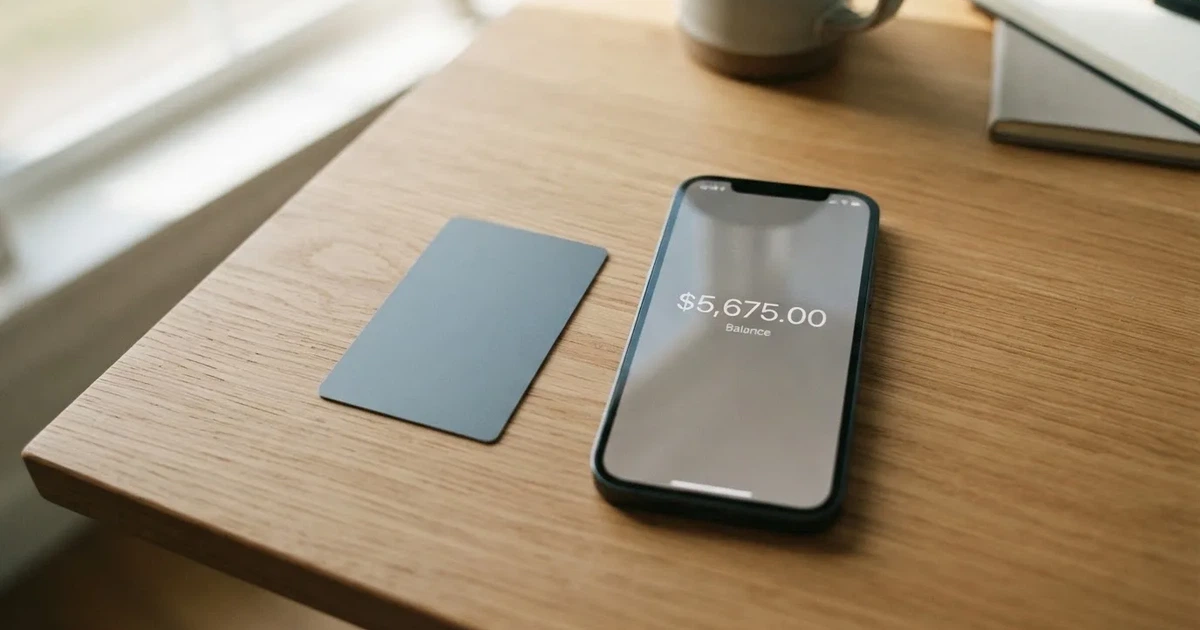
Conditions are current as of October 28, 2026.
Verdict
Wayex earns 7.5 out of 10. The score reflects a free digital Visa, no monthly account fee, and broad stablecoin support on the plus side, balanced against an eligibility list that is vague on which countries are live, and a number of fees and limits that the main site simply does not publish.

| Criterion | Score | Reason |
|---|---|---|
| Who can get it | 5/10 | Live in 18+ regions with expansion to 100+ planned, but the regions are not named; sanctioned-country exclusions are standard. |
| Cost | 9/10 | Free digital card, free account opening, no monthly fee, 0% on USD spending; physical card and non-USD FX fees not disclosed. |
| Top-up options | 9/10 | DAI, USDT, USDC, PYUSD across 10+ blockchains, plus fiat in USD, EUR and others; specific networks not listed. |
| Reliability and complaints | 7/10 | Card issued by Lead Bank under Visa U.S.A. Inc. licensing, programme managed by Bridge Ventures LLC; Trustpilot 3.9/5 from 61 reviews with complaints about verification blocks and slow payouts. |
| Everyday use | 8/10 | Free digital Visa, physical card where supported, Apple Pay and Google Pay; ATM access for the global card is not described. |
Who it suits: a stablecoin holder who wants a free digital Visa to spend USD-denominated balances online and at point of sale, with Apple Pay or Google Pay as a backup.
Who it does not suit: someone who needs clear answers on physical-card pricing, ATM access outside Australia, non-USD FX fees, or a published list of supported countries before signing up.
Who will they give you the card
Wayex states that the card is live in 18+ regions and that the company is expanding coverage to 100+ regions. The main site does not list which 18 regions those are, and it does not publish a country-by-country map. The terms do set one hard rule: you cannot be located in, and cannot be a citizen or resident of, a country sanctioned by the UN, FATF, the EU, or the US (OFAC), nor in a jurisdiction that bars crypto services. The app itself is downloadable in 160+ countries, which is a wider figure than the 18+ regions where the card itself is live, so downloadability is not the same as card eligibility.
Unofficial third-party reporting describes the core product as Australia-only at launch, with the wider 160+ country rollout as an early expansion. That gap, between an app you can install almost anywhere and a card you can actually order in only some places, is the most common point of confusion. If your country is not on the live list, the onboarding flow is likely to stop at KYC or at card ordering even if the app installs cleanly.
You must be 18 or older to apply. Beyond that, the main pages do not describe KYC tiers, document types, or rejection reasons.
How to get it
The signup path is the standard crypto-card shape: install the app, create an account, complete KYC, and then order the card. Wayex says you can complete KYC in as little as two minutes, though the documents accepted are not specified on the pages I read. There is no mention of tiered verification (basic versus enhanced), and the company does not state what causes an application to be rejected, beyond the sanctioned-country bar already noted.
Once verified, you receive a digital Visa debit card for free. The card is prepaid in behaviour: your balance is held in USDB, Wayex’s own 1:1 USD-pegged balance unit, and you spend from that balance. A physical card is available “where supported”, but neither its price nor its delivery times are stated on the main site. The Australian help centre, which covers a separate Australian product, lists a physical card and delivery at AUD 14.99, with free replacement for lost, stolen, or expired cards. Whether that fee applies to the global card is not confirmed.
If you live in a country the card is not yet live in, your application will likely stall at KYC or at card ordering. The two-minute KYC claim should be read as best case; the Trustpilot feedback includes several accounts of verification blocks that took weeks and were not clearly explained.
What it really costs
Wayex’s main site is unusually clear about the costs that are zero and unusually quiet about the costs that are not. The headline numbers are: free digital card, free account opening, no monthly fees, and 0% on USD spending. The footer adds a thin “fees may apply” disclaimer, which is where the gaps begin.
For the everyday reader, the practical question is: what does it cost to pay for a coffee in USD, to pay for something in euros, and to take cash out of an ATM? The first is clearly free on the Wayex side. The second and third are not disclosed on the global product’s pages, and that is the part you should check before relying on the card abroad.
| Fee or limit | Amount |
|---|---|
| Digital card issuance | Free |
| Account opening | Free |
| Monthly account fee | None |
| Spending in USD | 0% |
| Physical card price | Not stated |
| FX fee (non-USD) | Not stated |
| Crypto conversion fee | Not stated |
| ATM fee | Not stated |
| Daily / monthly limits | Not stated |
A few everyday scenarios, walked through the way you would actually use the card:
- A USD purchase with a USDC balance. USDC is converted to USDB at the prevailing rate, then spent. The site advertises 0% on USD spending, and USDB is a 1:1 USD unit, so the conversion is, in effect, free of an explicit Wayex markup. You still pay any blockchain network fee when funding, but the spend itself does not carry a stated Wayex fee.
- A euro purchase from a USD balance. You will see a foreign-exchange margin somewhere, either as a Wayex FX fee, a Visa cross-border fee, or both. Neither is disclosed on the main site. If you are funding from a non-USD stablecoin, you also take the crypto-to-USD conversion rate, which is not published as a fixed number.
- An ATM withdrawal. On Wayex’s Australian product, ATM withdrawals are limited to Australia, the Wayex fee is AUD 0, and the operator’s fee still applies, with a daily maximum of AUD 1,000. Overseas ATM access is not supported in that product. Whether the same rules apply to the global Visa card is unconfirmed.
There is also a separate yield product sitting alongside the card. “Everyday Yield” offers up to 5% on liquid stablecoin balances and is live now. “Fixed-Term Deposits” promises up to 20% via Kasu and is listed as coming soon. These are account features rather than card cashback, and they do not reduce spending fees; they pay you for holding balance.
The honest summary is: for USD spending funded from USD-pegged stablecoins, the cost story is genuinely strong. For anything involving non-USD currency, physical card issuance, or ATM access, the published information runs out and you have to assume the worst until you confirm in the app.
Top up
Topping up Wayex starts with a transfer to the right network. The card accepts the four major US-dollar stablecoins: DAI, USDT, USDC, and PYUSD. Wayex says it supports “10+ blockchains” but does not name them on the main pages, which is the kind of gap that costs people money: send USDC on a chain the platform does not watch, and the funds can sit in limbo or be lost, because blockchain transfers are irreversible.
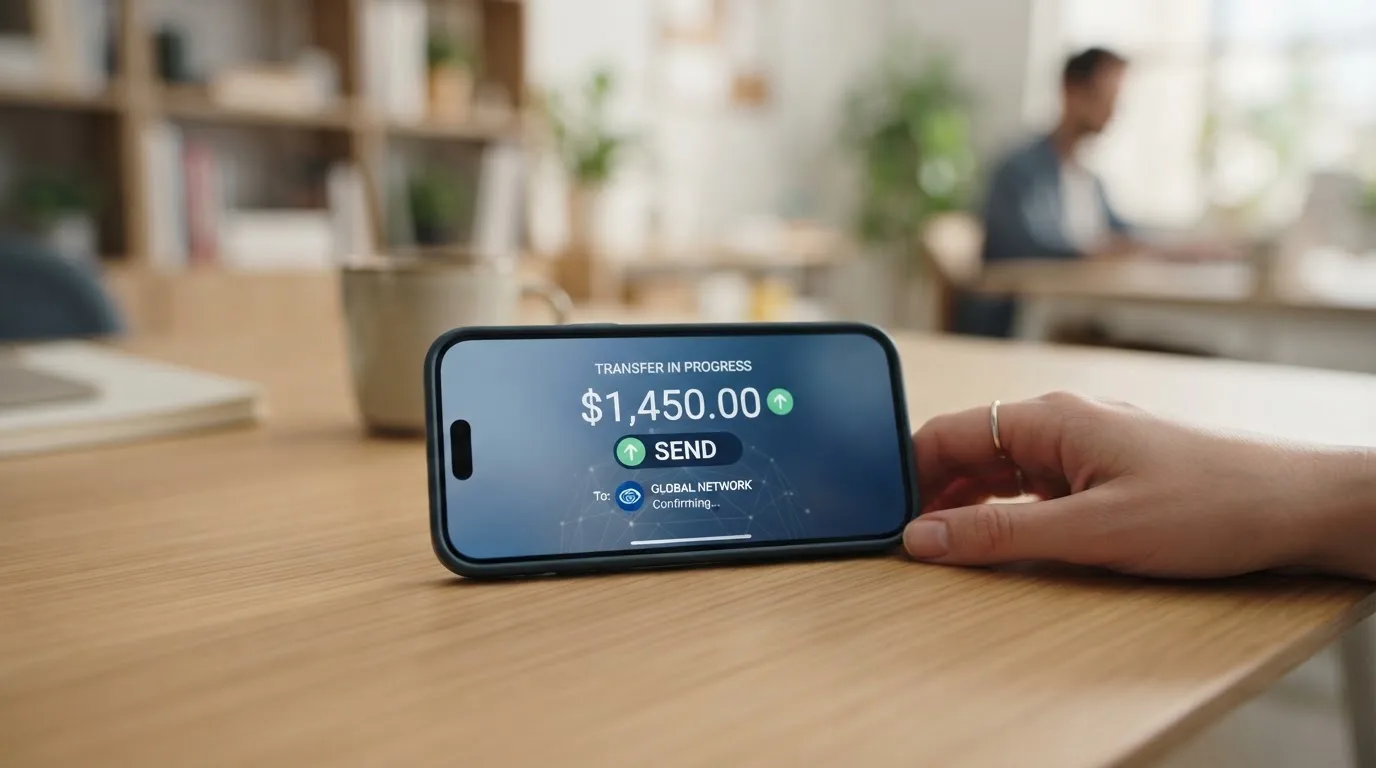
For fiat, Wayex supports deposits in USD, EUR, GBP, MXN, and BRL through on- and off-ramps. The Australian help centre says crypto deposits are free from Wayex’s side (you still pay network or gas fees), AUD deposits carry zero fee, and there is no limit on deposit size. The global minimum top-up and the global fee schedule are not stated.
For cashing out, the supported rails are PIX, SPEI, Faster Payments, SEPA, Wire, and ACH. ACH and Wire are described as enabled. Fees and settlement times for the global card are not published. The Australian product gives you a conversion-fee ladder from 0.40% down to 0.00% based on 30-day volume, with a maximum AUD 100,000 per cash-out and a AUD 10 minimum, and free AUD cash-out. The terms also note that Wayex “may withhold withdrawals pending further investigation”, a clause worth reading if you plan to move large sums.
A practical checklist before your first top-up:
- Confirm the exact network and asset combination in the app’s deposit screen before sending.
- Send a small test amount first if the value is meaningful.
- Keep the transaction hash so support can trace the transfer if it does not credit.
- Remember that gas or bandwidth fees are charged by the network, not by Wayex, and they vary by chain and congestion.
Paying with it every day
In normal use, the Wayex card behaves like a prepaid Visa debit: tap to pay, insert to pay, or pay online. The balance sits in USDB at 1:1 USD, so once funded, spending feels familiar. Apple Pay and Google Pay are supported, and the digital card is free, so the most common path is to load some USDC, convert to USDB in the app, and add the card to a mobile wallet.
What the site does not list is just as important. Blocked merchant categories are not stated, so you do not know in advance whether gambling, crypto purchases, or adult entertainment merchants will be declined. Cashback on card spending is not offered, though the yield product pays you on the balance rather than on the spend. App ratings on the App Store and Google Play are not displayed on Wayex’s site, so quality-of-life judgements about the app have to come from the user reviews on those stores, not from Wayex.
If something goes wrong with a transaction, the FAQ points to a “What if I have a problem with a transaction” entry but does not include the answer on the page I read. The complaints policy says the company will acknowledge a complaint within three business days and aim to resolve it within 30. The terms require disputes to go through binding arbitration in Panama City, in English, which is a meaningful procedural point if you are not based there: you would be agreeing to that forum before you ever had a dispute.
What can go wrong
The risk picture has three layers: the company’s reliability, the structural risks of the product, and the regulatory environment.
On reliability, the user reports are mixed. Trustpilot shows a TrustScore of 3.9 from 61 reviews, with 74% five-star and 10% one-star (as of 2026-10-20). The positive themes are speed of onboarding and the absence of FX fees. The negative themes are account verification blocks without explanation, slow account closure, delayed small transfers, and app sign-out bugs. Wayex replies to negative reviews, usually steering users to private support channels. There is at least one public accusation of a “crypto scam” tied to roughly $20, where the company replied that the funds had arrived. I did not find a confirmed major incident, but the verification-block pattern is consistent enough to flag.
Structurally, the card sits on top of USDB, Wayex’s own balance token, and that token is described as 1:1 USD without published reserve attestations on the main pages. The crypto side of the balance takes on stablecoin risk: even though USDT and USDC have largely held their peg, both have depegged temporarily in the past, and a 1:1 unit is only as good as the reserves and the redemption process behind it. Custodial risk also applies, because the funds sit with Wayex and its banking partners until you spend them. Self-custody is offered as optional, which means the default is custodial.
Regulatorily, the card is issued by Lead Bank under a Visa U.S.A. Inc. licence, with Bridge Ventures LLC as programme manager. Wayex itself describes itself as a platform provider and “not a bank”. The terms put arbitration in Panama City, and the help centre references Australian consumer-protection regulators for the separate Australian product. I did not find dated licence events to report. MiCA, the EU’s crypto regulation, is worth knowing about: its stablecoin rules applied from 30 June 2024, the broader crypto-asset service provider rules from 30 December 2024, and providers operating under national law can continue only until 1 July 2026 or until they receive or are refused MiCA authorisation. If you are in the EU, this is the regulatory clock that determines which providers are still operating a year from now.
One more thing worth knowing: Visa terminated its global agreements with FTX in November 2022, and WaveCrest, a Visa issuer supplying several crypto card brands, was suspended by Visa in Europe in 2018, closing every WaveCrest-issued programme overnight. Card programmes can end. When they do, you usually get a notice period, then loading stops, then spending stops, then you withdraw your balance. Treat any prepaid crypto card balance as something you are willing to move out on short notice.
What to take instead
Wayex is not the only free-or-cheap stablecoin card on the market. Three alternatives are worth a look, each with a different trade-off.
| Card | Score | Best for | Watch out for |
|---|---|---|---|
| RedotPay | 6.9/10 | Users in Asia-Pacific who want USD or HKD card balances | Virtual card USD 10.00, physical card USD 100.00 (not refundable); 1.00% transaction fee; long restricted-country list including the US. |
| Bitpanda | 6.5/10 | Euro-area residents who want to spend from a chosen crypto asset | EUR-only card, 1% (or “up to 2%”) cashback on crypto, FX handled as a Visa mark-up. |
| Wirex | 6.7/10 | Users who want metal-card Cryptoback and broad global coverage | Cashback in WXT, not fiat; ATM withdrawals not permitted in Singapore; service-area “130+ countries” with regional variation. |
RedotPay charges USD 10.00 for a virtual card and USD 100.00 for a physical card (not cancellable or refundable once paid), with a 1.00% transaction fee and 1.20% on non-default-currency spends. It runs a USD card and a separate HKD card, and its restricted-country list is much longer and more specific than Wayex’s, including the United States, Russia, Belarus, Ukraine, and others. Bitpanda requires residence in a euro-area country and issues a EUR-only Visa debit; you spend from a chosen main asset, crypto is auto-converted to EUR, and the FX side runs through a Visa mark-up rather than an explicit Bitpanda fee. Wirex offers a free standard card in the UK, EEA, APAC, Singapore, Australia, and “Other”, with a metal card that costs GBP 45 in the UK and around EUR 45 elsewhere. Its Cryptoback pays in WXT, not fiat, with 0.5% on Standard, 3% on Premium, and up to 8% on Elite, and it excludes ATMs, cash advances, crypto purchases, gambling, and a list of merchant category codes.
If your priority is the lowest possible cost for USD spending from stablecoins, Wayex’s free digital card remains the strongest of the four on pure economics. If your priority is a published country list, named networks, or a non-USD card currency, RedotPay, Bitpanda, or Wirex will give you more upfront detail.
Who I would recommend it to
I would recommend the Wayex card to a stablecoin holder who lives in one of the 18+ regions where the card is actually live, who plans to spend mostly in USD, and who is comfortable loading the card from a mobile wallet. The free digital card, the absence of a monthly fee, and the 0% on USD spending line up with that profile, and the Everyday Yield feature adds a modest return on the idle balance.
I would not recommend it, or at least not yet, to anyone who needs to see the physical card price, the non-USD FX fee, the ATM policy for the global card, or the list of supported countries before signing up. The published information does not cover those questions, and third-party reporting is the only place where some of the gaps get filled in. I would also be cautious if you need a card that is clearly regulated in your home jurisdiction: the terms route disputes to binding arbitration in Panama City, and the main regulatory anchors are a US bank (Lead Bank) and a US-based programme manager (Bridge Ventures LLC).
If you do decide to try Wayex, the sensible onboarding looks like this: install the app, complete KYC, load a small USDC amount on a network you have confirmed in the deposit screen, add the digital card to Apple Pay or Google Pay, and make one small USD purchase before loading a larger balance. That sequence gives you a chance to see the conversion rate, the merchant experience, and the support response time, without exposing meaningful funds to a product whose global fee schedule is still mostly unwritten.
Frequently asked questions
What is the Wayex card?
The Wayex card is a Visa debit card that spends from a balance held in USDB, Wayex’s 1:1 USD-pegged unit. The digital version is free, and a physical card is available where supported.
How does the Wayex card work?
You fund the card with stablecoins (DAI, USDT, USDC, or PYUSD) across one of Wayex’s supported blockchains, or with fiat in USD, EUR, GBP, MXN, or BRL. The balance is held as USDB, and card purchases draw on that USDB balance.
Is Wayex a bank?
No. Wayex describes itself as a platform provider. The card is issued by Lead Bank under a Visa U.S.A. Inc. licence, and Bridge Ventures LLC is the programme manager.
Who owns Wayex?
Wayex’s own registration country is not stated on the pages I read. The card programme is managed by Bridge Ventures LLC and issued by Lead Bank.
How do I get a Wayex card?
Install the Wayex app, create an account, complete KYC (the company says as little as two minutes), and order the card. You must be 18 or older and not located in, or a citizen or resident of, a country sanctioned by the UN, FATF, the EU, or the US.
Does the Wayex card require KYC?
Yes. Identity verification is required before the card is issued, and the terms bar applicants from sanctioned jurisdictions. The specific documents accepted are not published on the main site.
How do I top up the Wayex card?
Send DAI, USDT, USDC, or PYUSD to the deposit address shown in the app, on a network Wayex supports for that asset, or deposit fiat in a supported currency. Network and gas fees apply to crypto deposits and are charged by the blockchain, not by Wayex.
How do I add the Wayex card to Apple Wallet or Google Pay?
Open the Wayex app, view your digital card details, and use the Apple Pay or Google Pay option to add the card to your mobile wallet. Apple Pay and Google Pay are both supported on Wayex.
Is the Wayex card safe?
The card is issued by a regulated US bank (Lead Bank) under a Visa licence, the company describes its custody as transparent, and offers optional self-custody. The Trustpilot score is 3.9 from 61 reviews, with complaints about verification blocks and slow payouts but no confirmed major incident.
How do I close my Wayex account?
The main site does not publish a step-by-step closure process. The help-centre complaints page points to live chat in the app or on the website, and to [email protected], as the channels for account actions including closure.
App and neobank cards – cryptocardchooser.com
Content created by the «cryptocardchooser.com» team