
Many cards, heavy fees, thin proof
 Available in US
If you are looking at the Kemy card, you are probably not doing it from a position of comfort. Most people arrive here after a bank turned them down, or after their own country stopped open banking to them, or simply because paying from a crypto balance is faster than waiting for a wire. That context changes what you care about. You are not comparing rewards and annual fees between two comfortable cards. You are asking one question: will this let me spend money I have, in the place I live, without the account being frozen the week something looks unusual?

The short answer is that Kemy will probably let you. It is a broad, functional product rather than a polished one. The virtual cards are unlimited in number, which almost nothing else on this list offers, and the physical Mastercard, Apple Pay, Google Pay and Samsung Pay cover the everyday cases. But you pay for that access in ways that are easy to miss: a virtual card costs $15 to issue and $2 a month on top of a 3.5% plus $1 transaction fee, and the physical card is $250 up front with $10 a month. That is not a rounding error. It is a different order of price from the free products some competitors push.
I have gone through the card’s own pages and what independent sources say about it, and I score it 6.0 / 10. The conditions described here are current as of October 28, 2026.
Verdict: 6.0 out of 10
Kemy scores well on access and everyday use and badly on cost and on how little you can verify about the people behind it. It is a company that says it is a fintech, not a bank, registers with FinCEN as a money services business, and issues cards through banking partners it does not name. That structure is normal for this category, and it does not make the card unsafe by itself. It does make it hard to answer the two questions you actually care about: who is my legal counterparty, and what happens to my money if this company has a bad year.
| Criterion | Mark | Why |
|---|---|---|
| Who can get it | 9 / 10 | “190+ countries”, with “a few restrictions apply” and eligibility checked at sign-up — but the restricted list is never named |
| Cost | 2 / 10 | Virtual: $15 issuance and $2 a month, transaction fee 3.5% + $1, top-up $1.5 under $100 or 1.25% from $100. Physical: $250 issuance and $10 a month, main-account deposit 8% or 5% depending on which part of the page you read |
| Top-up options | 7 / 10 | USDT and USDC “on the main networks” — chains not named — plus BTC, ETH, SOL through an on/off ramp, and fiat through mobile money and virtual bank accounts |
| Reliability and complaints | 4 / 10 | Not a bank; registered with FinCEN as an MSB; partner banks unnamed. Unofficial sources: Trustpilot 2.5 from a handful of reviews, CryptoSlate rates it 3.9 and calls it “Poor” |
| Everyday use | 9 / 10 | Unlimited virtual cards plus one physical Mastercard, Apple Pay, Google Pay, Samsung Pay, $500 a day at the ATM |
| Total | 6.0 / 10 |
The audience this card is genuinely built for is people who need many virtual cards on one account. If you run subscriptions, ad accounts, or a small operation where each service wants its own card number and its own billing history, unlimited virtual cards is the single feature here that no competitor on my list matches. Everything else about the card is competent rather than exceptional.
It suits you if: you need a card quickly, you live somewhere your own banks do not serve you, you can live with the fee load, and you are comfortable treating the balance as money you spend rather than money you save.
It does not suit you if: the fee load matters to you, you want to hold a balance and earn anything on it, you need to know which bank stands behind the card, or you intend to load thousands and withdraw them again. The costs section explains exactly where this breaks.
Will they give you the card
Yes, to almost anyone. The card claims “190+ countries” and says “a few restrictions apply”, with eligibility checked during sign-up. That is the whole of the stated eligibility rule. No country list is published, no exclusions are named, and nothing tells you which side of the line you fall on before you apply.
The “a few restrictions apply” sentence is the one to sit with. It is doing a lot of work. In practice, providers with that wording exclude sanctioned jurisdictions and, often, countries under their own internal risk policy. But I am telling you what the page says, not what I assume: the list is not stated, so you cannot check it. The only reliable test is the sign-up itself.
If you are somewhere with a difficult relationship with international card issuers, this is genuinely good news. If you are in the EU or the UK and want a normal bank account as well, you have options that cost you nothing, and the comparison section covers them.
How to get it
Identity verification runs through Sumsub, with Veriff also named, and takes two minutes on a phone. That is fast, and speed is the thing most people in this situation care about. The business pricing page lists a proof-of-address check at $1.80. Which documents you need is not stated, and neither are the rejection reasons — worth knowing if your documents are unusual, because you will find out at the point of rejection rather than in advance.
There are no KYC tiers described anywhere on the site. Verification itself takes two minutes, and the limits section notes that limits may change with your KYC level, which implies levels exist without saying what they are. No processing times and no stated grounds for rejection.
The card itself: unlimited virtual cards, with Visa shown on the mockups, and one physical Mastercard with contactless. The site says “Visa & Mastercard accepted globally”. Card currency is not stated. Unofficial sources did not fill this gap either — no third-party source I checked had an answer, so treat the card currency as unknown rather than assuming dollars.
The physical card ships “within 5 to 15 business days, depending on country”, and DHL Express is included in the $250 order. The country list for delivery and the cost of a replacement card are not stated. If you are outside the main shipping zones, the 15-day figure is the optimistic end, not the likely one.
What it really costs: Fees
Here is where Kemy stops looking like a free card and starts looking like a priced service. Every number below comes from the card’s own pricing pages. Where the page contradicts itself, I have said so rather than choosing.

| Fee or limit | Virtual card | Physical card |
|---|---|---|
| Issuance | $15, valid 3 years | $250 with DHL Express included, valid 3 years, 1 card per user |
| Monthly fee | $2 | $10 |
| Transaction fee | 3.5% + $1 | not stated |
| Failed transaction | $0.8 | $0.80 |
| Card top-up | $1.5 under $100, or 1.25% from $100, minimum $5 | same, minimum $10 |
| Main-account deposit fee | 8% in the summary, 5% in the deposits section — the page conflicts | same, page conflicts |
| FX fee | not listed | not listed |
| ATM | not applicable | $500 per day, $15,000 per month, fee not stated |
| Balance limit | up to $100,000 | up to $400,000 |
| Per transaction | $10,000 | $25,000 |
| Daily spend | not stated | $50,000 |
Two things in that table need to be said plainly.
First, the 8% deposit fee. The summary shows 8%. The deposits section shows 5%. The official page contradicts itself, and the 8% figure is the one independent reviewers picked up on. If you are loading money into the main account, ask before you load, and get the answer in writing — because on $1,000 the difference between those two numbers is thirty dollars, and on $5,000 it is a hundred and fifty.
Second, what a transaction fee of 3.5% plus $1 means in practice. Let me walk three ordinary payments through it, using only the figures the card publishes.
A $12 coffee. The fee is $0.42 plus $1, so $1.42. Your $12 coffee costs $13.42.
A $90 supermarket shop. The fee is $3.15 plus $1, so $4.15. Your shop costs $94.15.
A $450 monthly bill. The fee is $15.75 plus $1, so $16.75.
Look at the pattern and the reason for it is obvious: the fixed $1 is brutal on small purchases and nearly irrelevant on large ones. If you would use this card for anything you buy in a cafe, a newsstand or a taxi, the $1 alone dominates. If you would use it for one large payment a month, the percentage is what matters and 3.5% is painful but survivable. On the physical card the published per-transaction fee is not listed at all, which is its own kind of information.
Two fees are not stated and I will not fill them in for you. The FX fee is not listed, and no multi-currency balance or foreign-currency charge is described — amounts are shown in US dollars and the card currency is not stated. The ATM fee is not stated either, though the $500 a day and $15,000 a month ceilings are. Ask for both numbers in writing before you rely on either.
How to Top up
The card accepts USDT and USDC “on the main networks”. The specific chains are not listed. That single omission is the most common way people lose money on cards like this: send on a network the provider does not support, or to an address belonging to a different network, and the transfer is gone. Blockchain transfers are irreversible — the network cannot freeze or return them — so if you get it wrong you are asking support to try to recover it, with no guarantee.
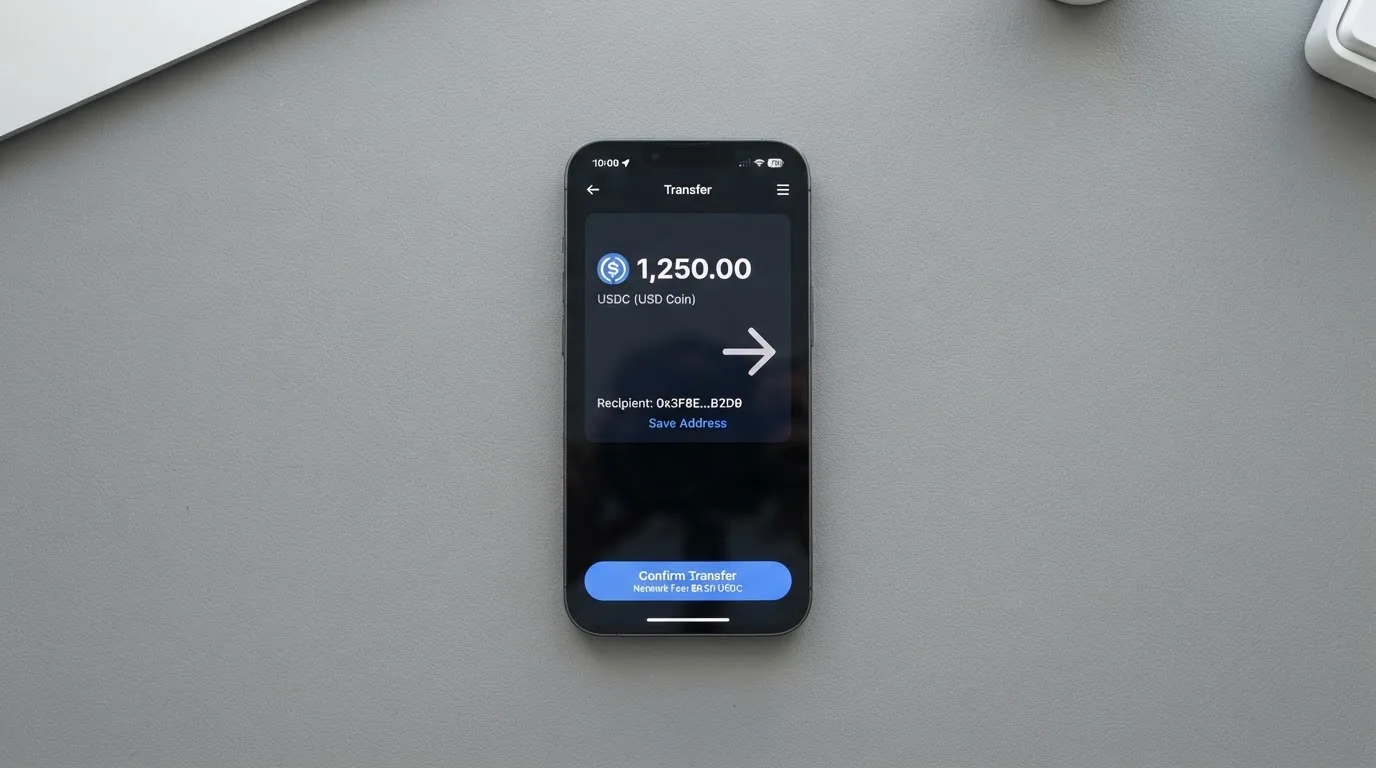
Beyond the two stablecoins, the card accepts BTC, ETH and SOL through an on/off ramp, and fiat through mobile money and virtual bank accounts. Mobile money matters more than it sounds: in a number of markets it is the practical way to move money out of a local economy and into a balance you can spend internationally.
The top-up fee on the card balance is $1.5 under $100, or 1.25% from $100, with a $5 minimum on the virtual card and $10 on the physical. The main-account deposit — crypto or mobile money — carries the fee the card’s own pages put at 8% in one place and 5% in another. Account creation is free.
What networks do I pick? The card does not say, so the honest answer is: check the dashboard at the moment of depositing, every time, and never assume the network you used last time is the one you need now. Some providers show the correct network inside the app immediately before the transfer; if this one does, use that.
The broader point about stablecoins is worth holding onto while you decide. USDT and USDC are dollar-pegged, and the BIS put about 90% of stablecoin market capitalisation in these two as of July 2025. Circle says USDC is redeemable 1:1 for USD and fully backed by cash and cash equivalents, mostly in an SEC-registered government money market fund, with monthly reserve attestations. But a stablecoin is an aim, not a guarantee — USDC temporarily lost its peg in March 2023 during the US banking crisis, and TerraUSD collapsed outright in May 2022. Depositing USDT or USDC is a bet on that peg holding, taken for the convenience of the payment.
Withdrawals work the other way: crypto goes to a wallet on any chain, and bank payouts run from $25 to $2,499 per transfer to US and European accounts. Withdrawal fees are not specified — the FAQ itself admits that network and administrative fees vary. Converting crypto to fiat is priced “at launch”, which is not a figure you can plan against.
One clause in the terms deserves attention now rather than later. Termination requires one month’s notice, the terms say nothing about returning the balance, exporting stored data is not possible, and the account may be terminated after 18 months of non-use. If you load money and stop, the clock is running.
Paying with it every day
This is the part Kemy does best, and it is the part you will feel most often.
The wallets are all there: Apple Pay, Google Pay and Samsung Pay. Whether any merchant types are blocked is not stated, which is a small worry I would want answered — some cards are restricted at gambling merchants (MCC 7995) by issuer policy rather than by law, and the blocked list varies by issuer, so a card that works everywhere except betting sites would not say so here.
On everyday convenience, the numbers are strong. Unlimited virtual cards means a fresh card number per subscription or per merchant, which is the standard trick for keeping one compromised merchant from exposing everything else. The physical Mastercard handles contactless in person. ATM withdrawals on the physical card run to $500 a day and $15,000 a month. The limits are generous: up to $400,000 balance and $50,000 daily spend on the physical card, against $100,000 and no stated daily spend figure on the virtual one.
What is missing in daily use: cashback is not mentioned anywhere. And there is no app. No App Store or Google Play listing is found on the site — you get a web dashboard and a Telegram bot. Ratings are not stated, because there is no app page to rate. That is a real friction point if you are used to freezing a card from your phone; here you would do it in a browser.
On a positive note for security behaviour, you can freeze, unfreeze or delete a card instantly from the dashboard, and there is 2FA and device biometric login.
What can go wrong
The complaints picture is thin, and thinness cuts both ways. What follows comes from one secondary aggregator (cryptocards.so) with a small, unverified sample. It reports Trustpilot at 2.5 out of 5 from four reviews, with reports of delayed applications, failed withdrawals, unanswered support, scam warnings, and one user flagging no 3-D Secure; there is also praise for fast sign-up. The official FAQ admits that network and administrative fees on external withdrawals are variable. I could not find a Trustpilot page for Kemy or Reddit threads on re-search on 2026-10-20. Official incidents are not stated.
Four reviews is not a reputation. It is a signal that someone, somewhere, has had a bad month — and with a company this young and this thin on public detail, that is worth taking seriously rather than dismissing.
The independent review is more pointed. CryptoSlate rates the card 3.9 and calls it “Poor”, flagging the 8% deposit deduction, no named issuing bank, undisclosed owners, and inconsistent KYC claims — “No KYC” in one place, full e-KYC in another. That inconsistency is itself a fact you should hold on to. If you are someone who has been burned by a crypto product that turned out to want identity documents you expected it not to want, you have a legitimate reason to ask which of those two statements is current before you upload a passport.
The company side is where the unresolved questions sit. Kemy states it “is a fintech company, not a bank”, and is registered as a Money Services Business with FinCEN in the US. Cards are issued by “our authorized banking partners” who are not named — officially unnamed, and unofficial sources describe the operator as a Delaware entity with no disclosed issuing bank. No dated regulatory events came up in the search, which is neutral rather than reassuring.
On custody, the card does not state its custody model. It says funds sit “in segregated accounts with regulated institutions” and claims regular audits; insurance is not stated. The security controls that are stated are real ones: 2FA, device biometrics, instant freeze and delete, real-time AML transaction monitoring, and AES-256 encryption of card data. Just be clear on what “segregated” does and does not mean. EU rules require e-money institutions to safeguard customer funds by segregating them or insuring them, but segregated funds are not bank deposits and are not covered by a deposit guarantee scheme.
Disputes are the part that worries me most, and it is not a complaint issue — it is a contract issue. Claims must be reported in writing within two months of discovery. Payments are described as non-refundable because the service activates immediately. Chargebacks are not addressed at all. The terms are governed by US law and US courts. If you are dealing with a $250 card and a foreign merchant, that is a difficult landscape, and Regulation E or Regulation Z reversal rights — which normally protect US debit and credit cardholders — should not be assumed to apply to a prepaid card.
In the EU, MiCA governs the crypto side and payment-services law governs the card, so a crypto card typically rests on two licences. ESMA’s transitional period runs until 1 July 2026 or until a provider is authorised or refused, whichever comes first, and ESMA keeps a register you can check a provider against. If Kemy’s presence in your country depends on that transitional window, the clock is visible.
What to take instead
The honest comparison: every option here is a trade, and the trade is cost against access. Bitrefill, UPay and Tevau all score in the same band — 6.8, 6.1 and 6.0 against Kemy’s 6.0 — and none of them is clearly better. What differs is where each one spends its money and where it refuses to answer.
| Kemy | Bitrefill | UPay | Tevau | |
|---|---|---|---|---|
| Score | 6.0 | 6.8 | 6.1 | 6.0 |
| Who can get it | “190+ countries”, “a few restrictions apply”, list not named | country list not stated; access “subject to eligibility criteria” and partner requirements | not stated; says it does not serve residents of certain countries; claims support in 180+ countries | “200+ countries”, availability “varies by region” (unofficial) |
| Card | Unlimited virtual (Visa on mockups), one physical Mastercard | Virtual and physical Visa | virtual and physical, personal and business; network not named | Virtual, Plastic, Metal, 24K Gold (unofficial) |
| Cost | Virtual $15 + $2/mo; physical $250 + $10/mo | page says free through the app; amounts not stated; inactivity fee after 12 months without spending or cash-out (amount not stated) | not stated | Virtual 20 USD, Plastic 100 USD, Metal 199 USD, 24K Gold 499 USD; monthly fee not stated (unofficial) |
| Key fees | transaction 3.5% + $1; deposit 8% or 5% | deposit spread on crypto-to-euro conversion; SEPA pay-in 1.99%; ATM and processor spreads | not stated; conversion may occur during payment | moving USDT to card balance 1%; FX spread for overseas spending not quantified (unofficial) |
| Funding | USDT, USDC “on the main networks”, BTC, ETH, SOL, mobile money, virtual bank accounts | Bitcoin, Lightning, Ethereum, USDC, USDT, Solana, BASE, Polygon, Li.Finance, Apple Pay, Google Pay, Visa, MasterCard; SEPA per terms | BTC, ETH, USDT, USDC; networks not stated | USDT; app shows the network (unofficial) |
| Rewards | not mentioned | 2% total cashback, “no cap” — 1% per crypto deposit, 1% per purchase | no cashback stated on the card page | not mentioned (unofficial) |
Read the table for what it is worth to you rather than for who wins.
Bitrefill is the one that scores highest and the only one whose card page says the card is free. That claim has an asterisk: no issuance or monthly amount is published, and an inactivity fee applies after twelve months without spending or cash-out, at an amount not stated. It also pays 2% cashback with “no cap”, split between deposits and purchases. Its card currency is euros, implied by the terms. Its catch is eligibility language — access is “subject to eligibility criteria” plus further partner requirements, with no country list. If you are in the euro area and can get through sign-up, this is the most generous card in the comparison.
UPay is the least transparent of the three and also the most flexible on card types, with virtual and physical, personal and business. Payments convert to USD, EUR, AED and others, which is its distinguishing feature. Its costs are not stated, its network is not named, and its networks for funding are not named either. It has one concrete restriction worth knowing: its KYC partner accepts only ID documents issued by the same country as the user’s. If your passport and your residence are in different countries, that is a wall.
Tevau is the only one with a tier ladder — Virtual, Plastic, Metal and 24K Gold, at 20, 100, 199 and 499 USD (unofficial, from an independent information site that says it is not Tevau itself). That ladder is interesting if you want metal. But its fee details are also unofficial and thin: 1% to move deposited USDT to the card balance, wallet deposits “no fee”, and an FX spread mentioned but never quantified. Wrong-network deposits are not recoverable. Fees “can differ by card type, campaign, and region”, which is a sentence that does not help anyone budget.
What I would take instead, concretely: if you are in the euro area and eligible, Bitrefill, because the effective cost is closest to zero. If you need USD, EUR and AED on one card, UPay, if you can get past the same-country document rule. If you are comparing on card variety rather than money, Kemy’s unlimited virtual cards are unmatched. If you want metal, Tevau — and accept that you are buying the object.
Who I would recommend it to
Three groups, and I would steer everyone else toward a free option or a local bank.
I would recommend Kemy to someone who has just been refused a normal card. You have a balance, you need to spend it, and the barrier is administrative rather than financial. Sign-up in two minutes and cards you can use immediately is the correct medicine for that situation, and the price is worth paying once rather than being stuck.
I would recommend it to someone who needs many virtual cards on one account. This is the audience the product is built for. Unlimited card numbers under one balance is not something the alternatives here offer, and for ad accounts, subscriptions or anyone who wants one merchant’s compromise to stay contained, it is the feature that decides the question.
I would recommend it to someone who does not intend to move money back out. The fees all sit on the way in and on the way out — the deposit percentage, the top-up fee, the withdrawal fees that are not published — while the everyday spending side, at 3.5% plus $1, is merely expensive. If you are spending money you already hold and treating the card as a tool, that is a coherent position.
I would not recommend it to someone saving, holding or converting. No cashback, a 5% or 8% deduction on deposits depending on which page you read, an eight-year-old question mark over which bank issued the card, published limits that may change with a KYC level nobody describes, and an 18-month non-use clock that can end the account. Nor would I recommend it to anyone planning to hold several thousand dollars as a buffer, or to anyone who has been burned before by a product that turned out to be neither a bank nor insured.
Before you decide, do three things: confirm your country is eligible, ask for the exact network for your deposit, and get the deposit fee in writing — 5% or 8% — because the card’s own pages disagree and the answer is worth real money.
Frequently asked questions
What is Kemy card?
Kemy is a crypto payment card, not a bank. It converts crypto or fiat into a spendable balance and gives you a card number to pay with. You can hold unlimited virtual cards on one account and one physical Mastercard. The card is issued through banking partners the company does not name, and Kemy is registered with FinCEN as a money services business.
Is Kemy a bank, and who owns it?
No. Kemy states it is “a fintech company, not a bank” and that cards are issued by its “authorized banking partners”. Those partners are not named in its own materials, and unofficial sources describe the operator as a Delaware entity with no disclosed issuing bank. Ownership is not disclosed. If the identity of the institution standing behind your card matters to you, this is not the card to use.
Is Kemy card available in my country?
The card claims “190+ countries” and says “a few restrictions apply”, with eligibility checked at sign-up. No country list is published, so you cannot check beforehand. The only reliable test is applying. Card currency is also not stated; unofficial sources had no answer either, so treat that as unknown rather than assuming dollars.
Does Kemy card require KYC, and how long does it take?
Yes. Identity checks run through Sumsub, with Veriff also named, and take two minutes on a phone. Business pricing lists a proof-of-address check at $1.80, but which documents you need is not stated, nor are the rejection reasons. There are no KYC tiers described, even though the card says limits may change with your KYC level.
How much does Kemy card cost?
The virtual card is $15 to issue, valid three years, plus $2 a month, plus a 3.5% + $1 transaction fee and a $0.8 failed-transaction fee. The physical card is $250 to issue with DHL Express included, plus $10 a month, one card per user. Card top-up is $1.5 under $100 or 1.25% from $100. This is the weakest part of the card.
How do I top up the Kemy card?
With USDT and USDC “on the main networks”, plus BTC, ETH and SOL through an on/off ramp, and fiat through mobile money and virtual bank accounts. The specific chains are not listed, so check the network shown in your dashboard at the moment of depositing. Blockchain transfers are irreversible, and a deposit sent on an unsupported network or to another network’s address can be lost with no guarantee of recovery.
Can I withdraw money from Kemy, and what does it cost?
Crypto can be withdrawn to a wallet on any chain; bank payouts run from $25 to $2,499 per transfer to US and European accounts. Withdrawal fees are not specified — the FAQ itself says network and administrative fees vary. Crypto-to-fiat conversion is priced “at launch”, which gives you nothing to plan against. The terms also allow termination after 18 months of non-use.
Is Kemy card safe?
It is a company, not a bank or an insurer. Stated safeguards are real: 2FA, device biometrics, instant card freeze and delete, real-time AML monitoring and AES-256 encryption. Funds are said to sit “in segregated accounts with regulated institutions”, but the custody model is not stated and insurance is not stated. One aggregator reports Trustpilot 2.5/5 from four reviews; CryptoSlate rates it 3.9, “Poor”. Treat the balance as spendable money, not savings.
Is Kemy card worth it?
For spending money you already hold, yes — the unlimited virtual cards and the wide country coverage are genuinely good, and the physical Mastercard, Apple Pay, Google Pay and Samsung Pay cover normal daily life. For holding, converting or moving money in and out, no: no cashback, deposit fees the card’s own pages put at either 5% or 8%, and withdrawal fees unpublished. Judge it by what you need it to do.
How do I add Kemy card to Apple Wallet?
Apple Pay is supported, and so are Google Pay and Samsung Pay. There is no iOS or Android app listed on Kemy’s site — you use a web dashboard and a Telegram bot — so set the wallet up from the browser. From there you can also freeze, unfreeze or delete a card instantly, which is the single most useful thing to know about it.
Virtual cards – cryptocardchooser.com
Content created by the «cryptocardchooser.com» team