
Avici is a self-custody Visa that loads from USDC through a smart contract — useful in a narrow lane, awkward everywhere else
 Available in US
Avici is not a bank, and it does not pretend to be. It is a Visa debit programme run by a San Francisco company called Avici Inc., and what makes it unusual is the way the balance gets onto the card: instead of a bank account or a custodial top-up, you deposit USDC into a self-custodial smart contract, and that contract is what backs your spending. The pitch is a card you can hold from a wallet you actually own, with USDC as the working currency and no foreign-exchange markup on top. The reality is more qualified. The product is live, the fees are simple, and the limits are tight. Whether it fits you depends on where you live, what you already hold, and how much you value self-custody over a smoother everyday experience.
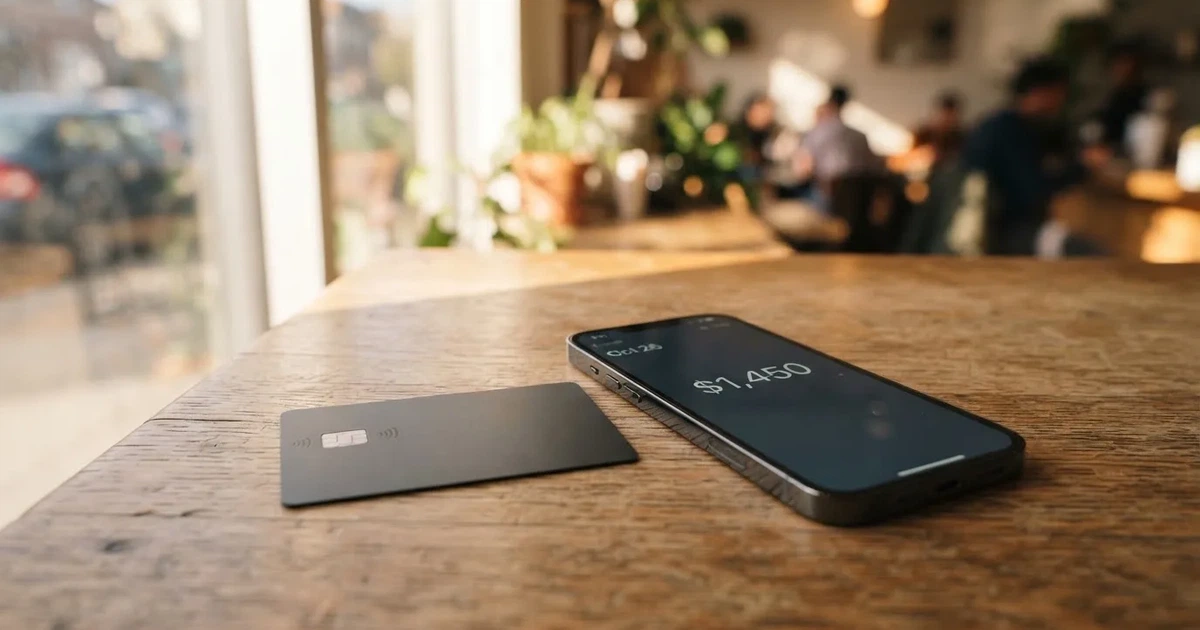
Conditions are current as of October 28, 2026.
This review is written for someone choosing a crypto card with a real reason to do so — typically because an ordinary bank card is hard to get, or because they want to spend stablecoins directly without going through a centralised exchange. I went through Avici’s own documentation, checked the dates on the published terms, looked at the small set of independent user reviews, and pulled in the general background on how crypto cards and stablecoin networks actually work, because the small print matters more here than with a standard prepaid card.
Verdict
Avici earns a 6.1 / 10 from me. That is a passing mark, not a strong one, and it reflects a card that does one or two things well and several things only passably. The headline is the USDC-backed self-custodial model: the smart-contract escrow is genuinely different from the custodial top-up most crypto cards use, and for someone who already holds USDC in their own wallet, the path from chain to card is unusually direct. The everyday experience is also good for what it is — a Visa with Apple Pay and Google Pay, two tiers, no transaction fee, no FX markup from Avici’s side, and physical card delivery.

What pulls the score down is the package of restrictions around it. The eligible-residence list runs to 49 places, the prohibited list to 17, and several common jurisdictions (the EU, the UK, Georgia, Serbia, Armenia, Kazakhstan) are simply not on the supported list. Limits are tight: USD 1,000 per transaction, USD 3,000 a day, three transactions a day, identical on both tiers. The official cost of the physical Signature card is USD 75 plus USD 20 a year from year two. The company discloses almost nothing about its issuing partner, its licences, or its support channels, and the public user review set is tiny and includes one serious complaint about a EUR 20,000 payment being blocked. In short, the card is interesting if its narrow fit matches yours, and weak if it does not.
Here is the score broken down across the criteria I looked at.
| Criterion | Mark | Why it scored there |
|---|---|---|
| Who can get it | 7 / 10 | Issued to residents of 49 regions, with Argentina, Australia, Brazil, Japan, the UAE and the US on the list; 17 countries blocked, including most of the post-Soviet space and several large Asian markets. |
| Cost | 5 / 10 | Zero transaction and FX markup, but virtual Platinum costs USD 15, physical Platinum USD 50, virtual Signature USD 30 then USD 20/year, physical Signature USD 75 plus USD 20/year from year two. |
| Top-up options | 5 / 10 | Official top-up is USDC only, via the Loan Escrow smart contract; no other coins are listed. Unofficial sources say any token can be routed in through Relay auto-swap on EVM L2 or Solana. |
| Reliability and complaints | 5 / 10 | Avici Inc. is based in San Francisco; the BIN sponsor is named in the docs as “Third National”; licences are not disclosed. Trustpilot is 3.5/5 across five reviews, one of them a EUR 20,000 block. |
| Everyday use | 9 / 10 | Virtual and physical Visa, Apple Pay and Google Pay, ATM fees differ by tier, no gas or interchange fee on Avici’s side, Visa cross-border 0.4–1% may apply on non-USD. |
Who the card suits and who it does not
The card suits you if you live in one of the 49 supported regions, you already hold USDC in a self-custody wallet, and you want a Visa that draws from a balance that you — not a custodian — own. Latin America and the UAE are the strongest audience fits, simply because the geography of the supported list overlaps with where USDC adoption is real. It also suits you if your monthly card spend is comfortably under USD 3,000 a day and your typical transactions are under USD 1,000.
The card does not suit you if you want a credit card, a metal card, cashback in dollars, multi-currency balances, an EU/UK residence, or a provider with a published support function and a regulator you can name. If you want any of those, the alternatives section later in this review will be a better use of your time.
Will They Give You the Card
The eligibility rule on Avici’s side is residency-based, and it is narrower than it first looks. The official page lists 49 supported regions, and the actual residents of those regions who can pass verification are the people the card is open to. Examples on the list include Argentina, Australia, Brazil, Colombia, Hong Kong, Japan, Malaysia, Mexico, Singapore, Thailand, the United Arab Emirates, South Africa and the United States. In the US, the right to be issued the card is subject to a “supported states” list that the official pages do not spell out. Notably absent are EU member states, the United Kingdom, Georgia, Serbia, Armenia and Kazakhstan — meaning that if you live in any of those, the card is not open to you at all, not on a waiting-list basis and not as a virtual-only product.
There is a separate, longer list of 17 places where residence makes you ineligible: Belarus, mainland China, Cuba, India, Iran, Iraq, Israel, Myanmar, Nepal, Nicaragua, North Korea, Russia, Syria, Turkey, Ukraine, Venezuela and Vietnam. A second list, of places where you cannot spend the card even if you can hold it, includes Cuba, Iran, North Korea, Russia, Syria, Ukraine and Venezuela. The two lists overlap but are not identical: you can be issued the card in some places you cannot spend it, and there is no good reason given for that asymmetry, so it is worth checking both lists if your travel pattern touches any of these countries.
The card is described as a “secured credit-card wording” product, which is a legalistic way of saying it is a debit-style card backed by the USDC balance in escrow. Your age, occupation, income and credit history are not part of the published criteria, but the marketing line that the card is “ready in 2 minutes via app” tells you the audience is people who can pass a single, automated identity check. Citizenship is not separately screened, but sanctions screening applies regardless of where you live, and the prohibited residence list tracks a sanctions-style logic in several places.
What the official pages do not say is whether the card is open to holders of refugee or humanitarian residence permits, to non-permanent residents, or to people with dual citizenship where one country is on the prohibited list. If any of these apply to you, the only way to know is to start the sign-up and see whether Sumsub, the identity verification provider, accepts your documents. The provider reserves the right to refuse without further explanation, and the official pages do not list rejection reasons or appeal routes.
How to Get It
The sign-up flow is a single Sumsub identity verification, run after an email sign-up inside the app. You provide personal details, upload ID documents, and complete a liveness check — the selfie-with-movements step that confirms you are the person on the ID. The official wording says the process takes “about 2 minutes” or “no more than a few minutes” in practice, and that KYC data is shared with the card partners, including the BIN sponsor. The marketing line “card ready in 2 minutes” should be read as the time to a card in the app, not to a physical card in your hand.
What is not stated is whether a proof-of-address document is required. Unofficial sources do not mention one. Standard Sumsub flows do request it for higher limits, and Avici’s tier structure implies the per-card limits are the same regardless of how thoroughly you verify, so it is plausible that no proof of address is asked. If you are asked for one, the same address you used in the form is what will be checked.
A separate business-account verification exists, with its own terms. The Business Program Terms were last updated 16 October 2025, and the company is positioning the product at sole traders and small companies that want to spend from a USDC balance. The verification is stricter and may ask for company documents, but the public pages do not list exactly which.
Once you pass KYC, the cards available to you fall into four buckets: virtual Platinum, virtual Signature, physical Platinum, physical Signature. An “Infinite” tier is listed as “Coming soon” on the official pages, so anyone pricing the card today should not plan around it. The currency of the card balance is USDC-denominated but settled in USD at the merchant — i.e. the balance is held in USDC, but the merchant sees a normal USD Visa transaction, and the conversion to USDC happens inside the contract after the spend.
For the physical card, delivery options are: standard untracked shipping, free, 3–4 weeks; priority tracked, USD 50 international, 1–2 weeks; or USD 15 within the US, with timing not stated. Countries the physical card is shipped to are not listed on the pages read; if you live in a supported residence but the courier does not reach you, this is a question for in-app support. The replacement cost for a lost or damaged card is not stated, which is itself a thing to be aware of if the physical card is the only one you carry.
What It Really Costs
Avici’s own marketing uses phrases like “No Hidden Fee”, “No Gas Fee, No Interchange Fee”. The figures below represent the current fee schedule, though official pages do not list a per-transaction or per-FX number. Treat these as indicative of the current terms; if you are about to spend, double-check the in-app fee schedule at the moment of sign-up.
| Fee or limit | Amount |
|---|---|
| Virtual Platinum (first card) | USD 15 one-time |
| Virtual Platinum (later cards) | USD 10 one-time each |
| Physical Platinum | USD 50 one-time |
| Virtual Signature (year one) | USD 30 |
| Virtual Signature (year two onward) | USD 20/year |
| Physical Signature | USD 75 one-time, plus USD 20/year from year two |
| Transaction fee | USD 0 |
| Forex markup | 0% (Visa cross-border 0.4–1% may apply) |
| Top-up fee | not stated |
| Withdrawal-to-wallet fee | USD 0 |
| Low-auth fee | none |
| ATM withdrawal, Platinum | USD 1 + 0.65% |
| ATM withdrawal, Signature | USD 0 |
| Declined transaction, Platinum | USD 0.60 |
| Declined transaction, Signature | USD 0 |
| Balance inquiry, Platinum | USD 0.60 |
| Balance inquiry, Signature | USD 0 |
| Per-transaction limit | USD 1,000 |
| Daily limit | USD 3,000 |
| Daily transaction count | 3 |
A few everyday payments are worth walking through, because the table above does not show how the numbers feel.
A USD 50 lunch in a US restaurant on the virtual Platinum: USD 0 transaction fee, USD 0 FX markup. The merchant sees a normal Visa transaction. The USDC inside the escrow contract is liquidated 1–2 days later (sometimes weekly), and your card balance is reduced by the same USD 50.
A EUR 40 dinner in a eurozone restaurant on the physical Signature: USD 0 transaction fee from Avici. The Visa cross-border fee, charged by Visa on non-USD transactions, may add 0.4–1% depending on the merchant’s acquiring bank — that is on top of any rate the merchant’s terminal applies. The EUR/USD rate is the wholesale Visa rate, not a marked-up Avici rate.
A USD 200 ATM withdrawal abroad on Platinum: USD 1 + 0.65% = USD 2.30 in Avici’s own fees. The ATM operator’s own fee is separate and can be USD 2–5 on top, so the realistic all-in cost of a USD 200 cash withdrawal is in the USD 4–8 range, and you will use a third of your daily transaction count for one withdrawal. On the Signature tier the Avici-side cost falls to zero, but the ATM operator’s own fee remains.
The “no transaction limits” claim on the official page is hedged: the per-card limits in the settings panel are the actual ceiling, and the USD 1,000 / USD 3,000 / 3-per-day numbers above are the defaults. You can lower them in the app; you cannot raise them without a tier change or a re-verification, and the path to raising them is not published.
One unofficial source dated 20 October 2026 gives an ATM limit of USD 250 daily with a maximum of 3 transactions. That contradicts the official numbers in the table above (USD 1,000 per transaction, USD 3,000 daily), so I am flagging it as a possible out-of-date or wrong figure. If you actually plan to use the card for cash, treat the in-app limit as the truth.
How to Top It Up
Funding the Avici card is, in one sentence: you send USDC to the Loan Escrow smart contract, and the card balance is created from that deposit. There is no bank transfer, no card top-up, no Apple Cash option — the only official funding path is on-chain, in USDC, into a contract your wallet owns. This is genuinely different from the typical crypto card, where the provider runs a custodial balance and you deposit into their wallet. With Avici, the wallet is yours, the contract is yours, and the provider’s only permission inside that contract is to draw down funds tied to actual card spends.
Practically, the flow is: open the app, copy the deposit address for the Loan Escrow contract on a USDC-supporting network, send USDC from your own wallet, wait for the deposit to land, and the USD-denominated card balance updates. The minimum top-up is not stated officially; some sources note top-ups can arrive in a few minutes. Because the contract is on a public chain, the time-to-balance is the time of a USDC transfer plus the time Avici’s backend takes to register the credit.
The fees on the Avici side for this flow are: top-up fee USD 0, withdrawal-to-wallet fee USD 0. What that does not cover is the on-chain network fee you pay in the native gas token of the network you use to send USDC. On Ethereum mainnet, gas can exceed the value of a small top-up; on a layer-2 like Base, Arbitrum or Polygon, gas is in cents; on Solana, it is in fractions of a cent. The contract’s network is not stated as a single value in the official material I read, so picking a low-fee USDC network is on you, and that decision is also a decision about how easy it is to recover from a mistake (more on that below).
The “withdraw funds anytime” line in the marketing is real, in the sense that you can pull the unspent USDC back out of the contract to your wallet, and the contract will only let the provider draw what is tied to actual settled spends. It is not a same-second refund: settled spends are deducted from the contract every 1–2 days, and sometimes only weekly, so between a card purchase and the corresponding USDC leaving the contract there is a window in which the funds are technically still yours. If you cancel the card or close the account, the unspent USDC is recoverable to your wallet; if the platform becomes unreachable, the contract logic still works because the contract is on a public chain and your wallet owns it.
Unofficial sources describe a second funding path: any token, on an EVM L2 or on Solana, routed through Relay auto-swap to land in the contract as USDC. This is not listed in the official pages I read, so I would treat it as a power-user feature rather than a supported path. If you use it, your tokens are sold by a third-party router, and the rate you get is the rate the router gives you, not a rate Avici has vouched for. For most readers the official path — USDC in, USDC out — is the only one worth planning around.
What the official pages do not state is which networks the Loan Escrow contract is deployed on. USDC is natively supported on 38 networks, and Circle stopped supporting USDC on Tron in February 2024, so “USDC over TRC20” is not a current native option on Circle’s side. If you copy a Tron address and send USDC-TRC20 to it, the deposit will not arrive, and recovery from a wrong-network deposit is the kind of thing the in-app support channel is not built to handle quickly.
Paying with It Every Day
Once the card is loaded, day-to-day use is what you would expect from a Visa. Online checkout works; in-store contactless works via Apple Pay or Google Pay on a supported phone; the physical card works in any contactless terminal. The card balance is held in USDC inside the contract, but the merchant sees a normal USD Visa transaction — Avici handles the USDC-to-USD settlement off the merchant’s view. There is no separate “crypto” mode you have to switch on; once the card is loaded, the card is a card.
Mobile wallets are the main everyday interface, and Avici’s own pages mention passkeys and account abstraction, which is the technical infrastructure that lets you sign transactions with biometrics instead of a seed phrase. In the wallet, you can show or hide card details, set a PIN, freeze a card temporarily, cancel it permanently, and set per-card spending limits below the defaults. These are the standard issuer-side controls and are worth setting up before the first tap, because the standard crypto-card safety features (tokenised mobile wallet, instant freeze, 2FA) are the same ones the rest of the category uses.
The perks on the official pages lean travel: airline miles, rental car insurance, travel and restaurant perks, trip protection, and a marketing phrase called “Avenue to TradeFI rewards”. The cashback rate is not stated — the “rewards” wording refers to perks, not to a percentage back on every purchase. If you are picking a card on cashback, the answer is that this card does not publish a cashback rate, and the alternatives further down do.
Blocked categories are not stated officially. Spending is often blocked in restricted categories including gambling, illegal drugs, and financial institutions, with financial institutions requiring additional approval. This is consistent with how Visa and most issuers treat high-risk MCCs, but it is worth knowing before you put the card in a wallet you plan to use for online betting.
What is not stated on the official pages is the chargeback or dispute process. The only published refund path is for the specific case of having paid for the card and not completed or passed verification, which is handled by in-app support. For a defective product, an undelivered service, or a fraudulent charge, the process is not described. This is a meaningful gap; a chargeback right that you cannot find in writing is one you cannot rely on. The Visa chargeback framework itself is available, but invoking it on a card whose programme manager is a small San Francisco company with no published support channel is a different experience from invoking it on a major European issuer.
What Can Go Wrong
The risk profile of this card has three distinct layers: the technology layer, the company layer, and the regulatory layer. None of them is catastrophic, but the layers stack.
The technology layer is the smart-contract risk of the Loan Escrow itself. The official documentation states that neither Third National, Avici nor Visa controls the loan contract — i.e. the contract is genuinely non-custodial, and if the company disappeared tomorrow, your USDC in the contract would still be yours to withdraw. The risk is the other way: a bug in the contract could lock the funds or, in the worst case, allow them to be drained. The contract is open-source by implication (it has to be, for self-custody to work), but a third-party audit and a bug-bounty programme are not mentioned in the pages I read, and that is the kind of thing you would want before depositing four figures of USDC. On-chain transfers are also irreversible, so a deposit sent to the wrong network or to a phishing copy of the contract address is gone.
The company layer is thin. Avici Inc. is registered at 300 4th St, San Francisco, CA 94107. The BIN sponsor named in the docs is “Third National”, and its role is not detailed. The licences Avici or its partners hold are not published: no EMI registration, no MiCA CASP listing, no FinCEN MSB reference, no state-by-state US money-transmitter list. The user review set on Trustpilot is five reviews at 3.5/5, and the most serious of them, dated 31 March 2026, describes a business-account user who had an incoming EUR 20,000 payment credited and then blocked, with the account restricted and support going silent. A separate January 2026 review describes repeated login errors at the email/authenticator verification step. Five reviews is not a population, and a single block on a EUR 20,000 payment is the kind of incident that the company’s compliance team would have a reason for but did not publish a reason for, so I am giving it weight as a signal rather than a verdict.
The regulatory layer is the list of places where the card does not work, the places where spending is prohibited even if you hold the card, and the long list of jurisdictions the card does not serve at all. The prohibited-spending list (Cuba, Iran, North Korea, Russia, Syria, Ukraine, Venezuela) overlaps heavily with sanctions regimes, and the company is right to enforce it; the practical effect for a reader is that the card is geographically narrower than a standard Visa prepaid, and that your travel plans can take the card out of service overnight if a new jurisdiction is added.
A separate, more practical risk is the limit structure. Three transactions a day and USD 3,000 daily are enough for groceries, transit and a meal out, and not enough for a hotel bill, a flight, a car deposit, or a longer shopping trip. The “no transaction limits” marketing line is misleading, and the realistic ceiling is closer to “no high-value transactions”. A reader who reads the marketing and plans a USD 2,500 hotel booking on a Tuesday will find the transaction declined, and the in-app support path is the one place this gets resolved.
The other risk worth naming is the rewards gap. The card does not publish a cashback rate, and the perks it does list (travel, rental car insurance, trip protection) are the kind of perk that pays off once a year on a holiday and is otherwise invisible. A reader who values a percentage back on every purchase should not pick this card on the strength of its rewards.
What to Take Instead
Avici’s lane is narrow: USDC, self-custody, low fees, tight limits, weak rewards. The three alternatives I have researched cover the most common reasons you might want something else — a more generous rewards structure, a heavier metal-card tier, a self-custody model that already accepts more tokens.
MetaMask Card (7.1 / 10). A Mastercard programme from the MetaMask wallet team. Sign-up is open in 45 listed countries and territories, including Andorra, Argentina, Brazil, Canada, Mexico, Germany, France, Spain and Uruguay; the US and UK sign-ups are temporarily closed per the FAQ, and other regions join a waitlist. A virtual Mastercard is issued first and is free, with no annual or maintenance fee. A Metal card is available for pre-order after virtual approval, at USD 199 a year. The card spends directly from the connected wallet, supports mUSD, wETH, EURe, GBPe, USDC and USDT, and works on Linea, Base, Monad and Solana. Cashback is paid in mUSD: 1% on Virtual, headline 3% on Metal with a footnote limiting 3% to the first USD 10,000 of spend and 1% after that. There is also a $FLY bonus of 5× on Virtual and 7× on Metal via the Blackbird dining app. The MetaMask Card is the right pick if you want to spend from a self-custody wallet you already use, you want cashback, and you are willing to be on a waitlist or live in one of the listed countries.
KAST (6.1 / 10). A Visa programme with three tiers: Standard (free), Premium (USD 1,000/year) and Private (USD 10,000/year), billed annually upfront with no monthly option. Up to 10 cards per user, including Visa Platinum, Visa Infinite metal and Visa Infinite gold-plated designs, plus co-branded Pengu, Solana and Bitcoin designs. USD cashback is generous: 1.5% on the first USD 2,000 a month for Standard, 2% on the first USD 10,000 for Premium, 3% on the first USD 40,000 for Private. Top-up is in stablecoins (USDT, USDC, PYUSD, RLUSD) on Ethereum, Solana, Polygon, Arbitrum and TRON, with no bank account needed and 0% on stablecoin top-ups. Non-USD FX is 0.5%–1.75% depending on residence and transaction country, and the in-app published fee on under-USD 25 non-USD transactions is USD 0.10. KAST is the right pick if you want a tiered cashback structure, you want to be able to fund in PYUSD or RLUSD and not just USDC, and you do not mind a higher annual fee for the upper tiers.
Zeal (6.1 / 10). A Visa programme from the Gnosis Pay stack, with card spend available in 150+ countries and live programme regions including the EU, UK, Brazil, Colombia, Mexico, Japan, Singapore, the Philippines, Indonesia and Thailand. Accounts in EUR, USD and GBP, with balances in stablecoins on Gnosis Chain and Celo. Zeal charges no additional FX fee and converts at the Visa wholesale rate; the underlying Gnosis Pay fees (e.g. ATM) still apply. Cashback is up to 4% paid in GNO on Gnosis Chain, contingent on holding GNO in the card Safe, and the rate can change. The app also advertises up to 5% variable APY on EUR and USD balances. Zeal is the right pick if you want a self-custody-style card that already supports multiple fiat balances, you are happy holding GNO to qualify for the higher cashback, and you are in one of the live programme regions.
If you are choosing purely on the basis of “I already hold USDC and I want a card that spends it directly”, Avici is a credible option. If you are choosing on rewards, KAST is stronger; if you are choosing on ecosystem (existing MetaMask users, EU residency, multi-currency), MetaMask Card or Zeal are the better fits.
Who I Would Recommend It To
I would recommend the Avici card to a reader who lives in one of the 49 supported regions — most likely in Latin America, the UAE, Australia, Japan, Singapore or Hong Kong — who already holds USDC in a self-custody wallet, and whose monthly card spend is comfortably under the USD 3,000-a-day ceiling. The card rewards that profile directly: the smart-contract escrow is a real differentiator, the zero transaction fee is honest, and the path from “I have USDC” to “I can tap a card” is shorter than on most crypto cards.
I would not recommend it to a reader who wants cashback, a metal card, an EU or UK residence, a published support function, an obvious regulator to point at, or a way to spend more than USD 1,000 in a single transaction. The card’s everyday rating of 9/10 is real, but the gap between the everyday rating and the overall 6.1 is the gap between “the card works when you use it within its limits” and “the company and the limits do not stretch the way the marketing implies”.
The honest summary is this: Avici is a niche product that does its niche well. If you are inside the niche, the 6.1/10 is conservative; if you are outside it, the 6.1/10 is generous.
Frequently Asked Questions
What is the Avici card?
The Avici card is a Visa debit card issued through a programme run by Avici Inc., a San Francisco company. The card balance is backed by USDC held inside a self-custodial smart contract, and the company is positioned as the programme manager rather than the issuer; the BIN sponsor named in the official docs is “Third National”. Avici offers both virtual and physical cards in two tiers (Platinum and Signature), with Apple Pay and Google Pay support.
How does the Avici card work?
You sign up through the app, pass a Sumsub identity check, and receive a virtual card immediately. To fund it, you send USDC to a Loan Escrow smart contract your wallet owns; the card balance is created from that deposit. When you spend, the merchant sees a normal Visa transaction, and the corresponding USDC is drawn from the contract 1–2 days later (sometimes weekly). You can withdraw unspent USDC back to your wallet at any time.
Is Avici a bank?
No. Avici is a programme manager that operates a card programme on top of a BIN sponsor (named in the official docs as “Third National”). The card balance is not a bank deposit, is not protected by a deposit guarantee scheme, and is backed by USDC inside a smart contract rather than by a regulated e-money institution. The official pages do not publish the licences Avici or its partners hold.
Who owns Avici?
Avici is operated by Avici Inc., a company registered at 300 4th Street, San Francisco, CA 94107. The ownership structure, investors and parent companies are not disclosed in the official pages I read.
Is the Avici card available in my country?
The card is open to residents of 49 listed regions, which include Argentina, Australia, Brazil, Colombia, Hong Kong, Japan, Malaysia, Mexico, Singapore, Thailand, the UAE, South Africa and the US (subject to a supported-states list). EU member states, the UK, Georgia, Serbia, Armenia and Kazakhstan are not on the list, and residents of 17 countries including Russia, Ukraine, Turkey, India, China, Cuba, Iran, North Korea, Syria and Venezuela are explicitly prohibited. The only way to know for sure is to start the sign-up and see whether Sumsub accepts your documents.
Can I use the Avici card in a country I am travelling to?
Spending is prohibited in Cuba, Iran, North Korea, Russia, Syria, Ukraine and Venezuela, even if the card was issued in a supported residence. Outside those countries, the card behaves like a standard Visa, but merchants in some regions may decline it if their acquiring bank treats the BIN as high-risk or as a prepaid card.
How do I get the Avici card?
You download the app, sign up with your email, pass Sumsub identity verification (personal details, ID documents, liveness check), and a virtual card is issued. Physical cards are ordered in-app and shipped by standard free untracked post (3–4 weeks), priority international tracked post (USD 50, 1–2 weeks) or US priority tracked post (USD 15, timing not stated).
Does the Avici card require KYC?
Yes. The single Sumsub verification asks for personal details, ID documents and a liveness check, and is described as taking “about 2 minutes”. KYC data is shared with Avici’s card partners, and Sumsub runs ongoing AML monitoring of both users and on-chain funds. The official pages do not list document types, rejection reasons or appeal routes.
How do I top up the Avici card?
You send USDC from your own wallet to the Loan Escrow smart contract address shown in the app, on a USDC-supporting network. The minimum top-up is not stated officially (one unofficial source says USD 1). Top-ups in any other token, via the Relay auto-swap router on an EVM L2 or Solana, are described in unofficial sources but not in the official pages. There is no bank-transfer top-up path.
Is the Avici card safe?
It is as safe as the self-custody model allows. The smart contract is owned by your wallet, the company cannot draw more than the value of settled card spends, and you can withdraw unspent USDC at any time. The risks are: a possible bug in the contract (no third-party audit or bug bounty is mentioned in the pages I read), the irreversibility of on-chain transfers (a wrong-network deposit is gone), the small user base and the small published review set, and the absence of a published regulator or licence. The card is not insured and the card balance is not a bank deposit.
Wallet cards – cryptocardchooser.com
Content created by the «cryptocardchooser.com» team