
A privacy-first crypto card with published top-up fees but unpriced issuance
 Available in US
Kazepay presents itself as a privacy-first crypto card: you load it with USDT or USDC, it converts to fiat, and you spend like you would with any payment card, in virtual or physical form, in Apple Pay and Google Pay. That pitch is real, and the top-up fees are among the clearer numbers in this corner of the market. But the same public pages that proudly advertise “no hidden fees” do not actually print an issuance price, a monthly fee, or a card currency, and the physical card’s payment-wallet support is described one way by the card and the other way by a third-party site. So the honest version of this review is: a card with good economics on the things you will use most and poor transparency on the things you would want to know before applying.

Conditions are current as of October 28, 2026.
Verdict: 6.9 out of 10
Kazepay scores 6.9 out of 10. That is a middling-good card with one clear strength (cheap, simple top-ups in stablecoins) and one clear weakness (it will not tell you what the card itself costs). If your problem is that an ordinary bank card is proving hard to get, and you already hold USDT or USDC, this is a plausible answer. If you are comparing it with mainstream prepaid cards on price and predictability, the missing numbers make that comparison hard to do honestly.
| Criterion | Mark | Why |
|---|---|---|
| Who can get it | 9 / 10 | The card advertises “Transfer Your Crypto Across 210 Countries” and names no excluded countries on its own pages |
| Cost | 4 / 10 | Top-ups are 1.8%–2.2% for virtual and 2% for physical, ATMs 2% with a $1 minimum — but issuance and monthly fees are not published on the card’s pages |
| Top-up options | 8 / 10 | BNB, BTC, ETH, USDC and USDT are shown; funds reach the card as USDT or USDC, with withdrawals on BSC, Solana, Aptos, Tron, Base, Avalanche and Arbitrum |
| Reliability and complaints | 6 / 10 | The card names METABANK INC (20231581273) with parent KAZEFI in Hong Kong under INFI TECH, but no issuer and no complaints either way |
| Everyday use | 8 / 10 | Virtual and physical cards, Apple Pay and Google Pay, ATM withdrawals up to $1,500 a day |
The total is 6.9 out of 10.
Two groups should look elsewhere. If you want a card you can trust to be boring — a well-known European issuer, a euro or dollar card, a published monthly fee — the card’s own pages will not give you enough to judge, and a different product will. The second group is anyone planning to lean on the physical card in Apple Pay or Google Pay; the card says it works, and a third-party site says it does not, and you should not resolve that ambiguity with your own money.
Will They Give You the Card?
Yes, broadly. Kazepay’s headline is “Transfer Your Crypto Across 210 Countries”, and its public pages name no country it refuses. That is one of the most generous-sounding eligibility statements in this category, and it is the strongest single mark in the score table above.
The catch is that “transfer crypto across” and “issue a card to” are not the same claim. A third-party card directory, writing in August 2026, put actual availability at 171 countries and listed China, Cuba, Iran, North Korea, Russia and Syria as restricted, with Hong Kong absent from the list. That is unofficial and not confirmed by Kazepay, and the directory’s own reading is that the “210 countries” figure describes where the card can be *used* rather than where people can sign up. Take it as a floor, not a ceiling, but if your country is anywhere near that list, ask support before you move any money.
Beyond geography, two structural conditions apply everywhere. Identity verification is required for card issuance — that is stated by the card, and a third-party source says the same, adding that legal name, date of birth, residential address, country and a passport or ID card are what it asks for, with proof of address, a selfie and source-of-funds checks possible under the terms. Approval is not guaranteed. And usage can be restricted by local regulation and by country eligibility rules that the card does not spell out. There are no age or document requirements published on the public pages; where I say “not stated” below, that is exactly what it means — the public pages do not say it.
If you are politically exposed, or live somewhere with strict foreign-exchange rules, expect the country question to matter more than the card question.
How to Get It
The path is short: you request the card “through the app or website”, and the FAQ says the card can be requested “once you’re approved”. That is the whole published process. The card does not publish a list of the documents it requires, the age minimum, how long approval takes, or what gets an application rejected — those are not stated, and if a rejection matters to you, you will not find the reason codes in advance.
Choose between two forms. A virtual card is described as having “Instant Account Activation”, so you get a number you can use as soon as your account is live. A physical card is the one you want for taps, ATMs and anywhere that wants plastic, but its availability depends on your country of residence — the card tells you to confirm with support first rather than promising it. Shipping fees are paid by the applicant. Delivery time and the cost of replacing a lost or damaged card are not stated.
There is no separate “activate my card” ritual described. The account activation and the card are the same step for the virtual product, and nothing on the public pages tells you what the physical card does when it arrives in the post.
One limit is published and worth knowing before you order more than one: up to 5 physical cards per user, starting with one. Virtual cards are described as having “no fixed limit”.
Fees: What It Really Costs
The card states there are no spending transaction fees, and that is the number that matters most day to day. Around that, here is everything the card’s own pages give a number for, and what it leaves blank. Anything marked unofficial comes from a third-party directory and is not confirmed by Kazepay.

| Fee or limit | Value |
|---|---|
| Spending transaction fee | None (“no spending transaction fees”) |
| Top-up, physical card | 2% |
| Top-up, virtual card | 1.8%–2.2% |
| ATM withdrawal | 2% per transaction, $1 minimum, plus any local ATM fees |
| Virtual card bank fees | 0% to 5%, by merchant category and acquirer |
| Card issuance | Not stated; unofficial: Silver virtual $25, Gold virtual $49, Physical $99 |
| Monthly, inactivity or setup fee | Not stated; unofficial: $0 |
| Card currency | Not stated |
| Chargeback processing | Not stated; unofficial: $35 unless waived |
| Single top-up, physical card | $500 |
| ATM limit | $1,500 daily, up to 6 withdrawals a day, $15,000 monthly |
| Virtual card limit | “No fixed limit” |
Three ordinary payments, then, to make the percentages real.
Coffee, roughly $4. Neither card charges you for the transaction itself. On a virtual card the charge lands as USDT or USDC, on a physical card after the 2% top-up has already been paid. Nothing here is added at the till.
A $30 online subscription in a currency your balance is not in. This is where it gets fuzzy. The card says conversion is handled by the bank and the card network at the time of the transaction, and that rates and fees vary by bank, acquirer and country; supported fiat currencies are not listed, and the card currency is not stated. On the virtual card, bank fees run 0% to 5% depending on the merchant category and the acquirer. So the worst realistic case on a small purchase is a few dollars, and the card does not promise the best case.
$200 from an ATM. Two percent is $4, plus whatever the ATM operator charges locally, and the card also applies a $1 minimum per withdrawal — meaning small ATM withdrawals are penalised twice. Take out $500 instead of $200 and the same percentage costs you $10, not $4. The $1,500 a day and six-per-day caps mean you cannot simply do it all at once, and $15,000 a month is the outer edge of what the card will let you reach.
The pattern to notice: Kazepay is transparent about its own charges (top-ups, ATM, spending) and vague about everyone else’s (issuer, acquirer, exchange rate). That is a reasonable way for a programme manager to behave, but it means your effective cost on a foreign-currency purchase is not knowable from the card’s website.
Top Up: How the Money Gets In
Crypto is converted to fiat at the point of purchase, and the coins shown on the card are BNB, BTC, ETH, USDC and USDT. What is not stated on those pages is which networks those coins should arrive on for the top-up itself.
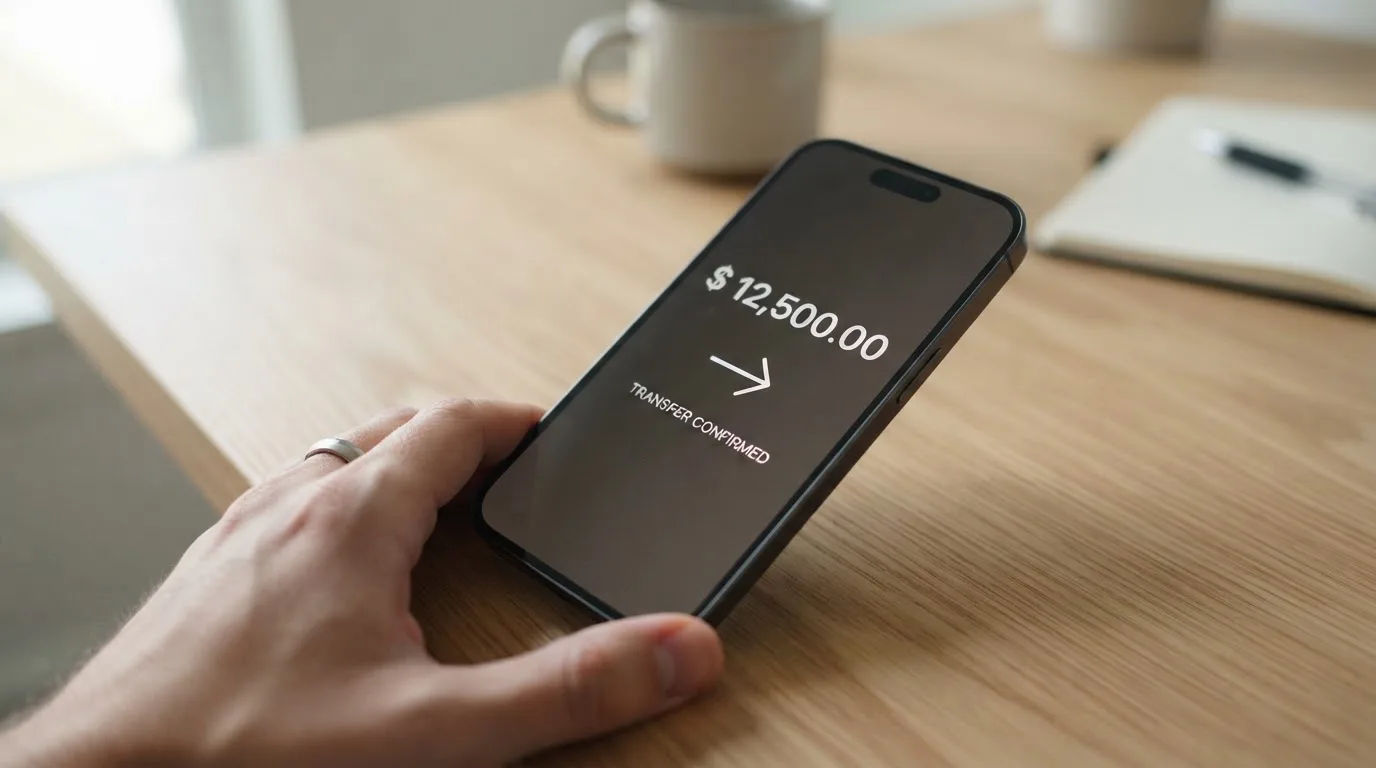
Here is the part that is stated, and it is useful. From your wallet, funds move to the card in USDT or USDC — so a BTC or ETH balance has to be converted first, and if you already sit in stablecoins you can skip that step. The physical card takes a single top-up of $500, with multiple top-ups allowed. No minimum top-up is stated. The virtual card’s fee is 1.8%–2.2%, the physical card’s 2%. A network fee for the top-up itself is not stated, which matters: on-chain network fees are charged by the blockchain, not by the card, so if your balance sits on a network with expensive fees you pay that on top.
Two things here can cost you money if you get them wrong. First, network choice. Blockchain transfers are irreversible, so a deposit sent on a network the provider does not support, or to an address belonging to another network, can be lost or need manual recovery with no guarantee. Second, “no minimum top-up” is not the same as “no minimum network fee” — a $20 top-up on a costly network may lose a large share of itself in fees.
Getting money back out is a separate mechanism, and it is the one that will surprise you if you assume otherwise. Withdrawals can only be made from your Wallet balance — card balances cannot be withdrawn directly. They run on networks BSC, Solana, Aptos, Tron, Base, Avalanche and Arbitrum. Weekdays (Monday to Friday, 9:30am to 6:00pm) take up to 8 hours; weekends take up to 24 hours. Transfers between KazePay users are near-instant with no network fee. The withdrawal fee amount, and what happens to any remaining balance if you close your account, are not stated.
There is one fee waiver worth noting because it is unusual: fees may be waived for transfers between KazePay users.
Paying With It Every Day
Virtual card, physical card, and both wallets. The card states that the virtual card “Supports Apple Pay and Google Pay” and that the physical card is also compatible. That second half is the weak joint in this product, because a third-party directory reported in August 2026 that the physical card does *not* support Apple Pay or Google Pay, and that for the virtual card support depends on the card and bank. The directory’s claim directly contradicts Kazepay’s. If tap-to-pay on the physical card is part of why you want this, raise it with support and get the answer in writing before you order.
The rest of the everyday picture is solid. Your wallet address is risk-screened: addresses tied to exchanges, sanctioned entities, darknet markets and mixers get flagged. Which merchant categories are blocked is not stated, which means you cannot tell in advance whether gambling, for instance, is off the table on this card — and blocked-category policies vary by issuer, so a merchant code that works elsewhere may fail here.
Two more things the card advertises and one it does not. Fee waivers exist between KazePay users. Rewards are not stated — no cashback, no points programme, nothing on the public pages. And there are no App Store or Google Play links on the home page, though the card says you request it “through the app or website”; which store to get the app from is not spelled out.
Refunds and disputes differ by card type, and this is worth reading twice. On physical cards, merchant refunds are credited back to you, with timing depending on the merchant and the acquirer. On virtual cards, refunds are not guaranteed and may fail to credit back at all. If you are using this for anything you might need to return — travel, deposits, a large purchase — the physical card is the one with refund protection behind it. For a dispute, the order the card gives is: contact the merchant first, then KazePay support. The chargeback time frame is not stated.
What Can Go Wrong
The company behind the card is named: “KazePay — Privacy First Crypto Debit Card by METABANK INC (20231581273)”, with KAZEFI as parent, operated in Hong Kong under INFI TECH (75447118). The card issuer, or the BIN sponsor, is not stated — which is unusual, because the first six or eight digits of any card number identify exactly that institution, and any shop can look it up. That you cannot do it here from the card’s own material is a transparency gap, not a scam signal.
On complaints, I looked and found nothing. Searches for Kazepay card complaints returned no material about this company — results were for a different firm with a similar name — and there is no Trustpilot page for Kazepay. No user reports were found either. This cuts both ways: no complaints is not the same as a track record. For most established card issuers, a search like this returns pages; here it returns nothing at all, which usually means the product is small rather than clean.
The security features the card lists are the ones you would expect from a competent fintech: multi-signature wallets, two-factor authentication with a code sent to your mobile, biometric login, an “Instant Account Freeze”, and user-defined transaction limits. If you see an unauthorised transaction, the instruction is to freeze the card in the app and contact support. What is not stated: the custody model (who holds the keys to your funds) and whether any insurance covers balances. Both of those are the questions to ask before you hold a large balance here.
The bigger risks are structural rather than specific to Kazepay. Custodial platforms have a history: about US$350 million reported stolen from Mt. Gox between 2011 and 2014, about US$400 million from Coincheck in 2018, US$625 million from the Ronin Network bridge in 2022. Card programmes themselves can be shut down — Visa terminated its global agreements with FTX in November 2022 and the card was wound down; Visa suspended WaveCrest in Europe in 2018, closing every programme it had issued. Typical closure mechanics are a notice period, then loading stops, then spending stops, then you are asked to withdraw what is left. Plan for that possibility: keep your main holdings in a wallet you control, and treat the card balance as spending money.
One more asymmetry to keep in mind. A declined online authorisation can leave a hold on your funds for several days — typically up to seven — so a failed attempt at a hotel or a car hire desk can tie up real money for a week.
On refunds from merchants, one final warning that is not Kazepay’s fault but will feel like it: if your billing address country differs from the card’s issuer country, some merchants decline the card outright, and address verification services are largely unavailable for foreign-issued cards. This is a crypto card problem in general, and it is the one people hit most often in their first week.
What to Take Instead
Three alternatives come with published numbers, which is itself the point of including them.
Bitrefill scores 6.8 out of 10, fractionally below Kazepay. Its card is a virtual and physical Visa, in euro, and the page says the card is free through the app — though the issuance and monthly amounts are not stated, and an inactivity fee applies after 12 months without spending or cash-out. Fees include a deposit spread on crypto-to-euro conversion (percentage not stated), a SEPA pay-in fee of 1.99%, and spreads applied by payment processors and ATM operators. Funding options are wide: Bitcoin, Lightning, Ethereum, USDC, USDT, Solana, BASE, Polygon, Li.Finance, plus Apple Pay, Google Pay, Visa and MasterCard. The reason to pick it over Kazepay is the rewards: 2% total cashback with no cap, split as 1% on each crypto deposit and 1% on each purchase. Eligibility is “subject to eligibility criteria” set by partners, and no country list is given.
UPay scores 6.1 out of 10. It offers virtual and physical cards, personal and business, with payments converting to USD, EUR, AED and others; the network is not named and costs are not stated. Funding is BTC, ETH, USDT and USDC from a wallet, and the page warns conversion may occur during payment depending on network and settlement. Its one sharp condition: the KYC partner accepts only ID documents issued by the same country as the user’s. It claims support in 180+ countries while saying it does not serve residents of certain countries, without listing them.
Kemy scores 6.0 out of 10 and is the only one here with fully published prices. Unlimited virtual cards (Visa on the mockups) cost $15 to issue, valid three years, plus $2 a month. One physical Mastercard (contactless) costs $250 to issue with DHL Express included, valid three years, one per user, plus $10 a month. Fees: virtual top-up is $1.5 under $100 or 1.25% from $100 with a $5 minimum; transaction fee 3.5% plus $1; failed transaction $0.80. Funding is USDT and USDC “on the main networks” plus BTC, ETH and SOL via on/off ramp, and fiat through mobile money and virtual bank accounts. It claims “190+ countries” with “a few restrictions apply”.
| Kazepay | Bitrefill | UPay | Kemy | |
|---|---|---|---|---|
| Score | 6.9 | 6.8 | 6.1 | 6.0 |
| Card | Virtual + physical, network unnamed | Virtual + physical Visa, EUR | Virtual + physical, network unnamed | Virtual Visa, one physical Mastercard |
| Issuance | Not stated (unofficial $25–$99) | Free through the app, amount not stated | Not stated | $15 virtual, $250 physical |
| Monthly | Not stated (unofficial $0) | Inactivity fee after 12 months | Not stated | $2 virtual, $10 physical |
| Top-up fee | 1.8%–2.2% virtual, 2% physical | Deposit spread, not stated | Not stated | $1.5 under $100, then 1.25% (min $5) |
| Cashback | Not stated | 2%, no cap | Not stated | Not mentioned |
Read across the top-up row and Kazepay wins on nothing much: Bitrefill’s spread is unstated rather than high, and Kemy’s 1.25% over $100 beats 1.8%. Kazepay wins on the card currency question being at least a visible euro at Bitrefill, on the width of its withdrawal networks, and on publishing its top-up percentage at all.
Who I Would Recommend It To
If you already hold USDT or USDC, and an ordinary bank card is not something you can easily get where you live, Kazepay is worth an application. The top-up fee of 2% is competitive, the stablecoin path avoids a conversion hop, and you can hold a USDT balance and spend it without touching a bank account. The eligibility position — 210 countries claimed, 171 assessed, six named restrictions — is more generous than most in this category, and that is not a small thing.
I would steer you elsewhere if any of these apply. You need the card currency and monthly fee before you commit, and Kazepay will not publish them — Kemy and Bitrefill are more forthcoming. You plan to hold five figures on the card, because the custody model and any insurance are not stated. You depend on Apple Pay with the physical card, because the card and a third-party source disagree on that point. Or you want cashback, because there is no rewards programme here at all.
Before you apply, do three things. Ask support what the physical card actually costs and whether it works in your mobile wallet. Ask which network your top-up should arrive on for the coin you hold. Ask what happens to a balance if you close the account. None of these is a trick question and all three are unstated on the public pages — which tells you something useful about how the card will answer the harder questions later.
Keep the balance small until the thing has proved itself to you.
Frequently asked questions
What is the Kazepay card?
Kazepay is a crypto payment card marketed as privacy-first. You load it from your own crypto wallet, the crypto is converted to fiat, and the resulting balance is spent like an ordinary prepaid card — online, in shops, at ATMs. It comes in virtual and physical form. The card is presented by METABANK INC (20231581273), with KAZEFI as parent operating in Hong Kong.
How does the Kazepay card work?
You convert or deposit crypto, and it is turned into a fiat balance that the card draws on, much like a prepaid card rather than a bank debit card. Funds move from your wallet to the card specifically as USDT or USDC. Spending itself carries no transaction fee. The card cannot overdraw, because it only spends a balance you have already loaded.
Does the Kazepay card require KYC?
Yes. Identity verification is required for card issuance, according to Kazepay and to a third-party directory that adds legal name, date of birth, address, country and passport or ID card, with proof-of-address, selfie and source-of-funds checks possible under the terms. Approval is not guaranteed. The public pages do not state which documents are required or how long it takes.
Is the Kazepay card free?
Partly. There are no spending transaction fees, and unofficial figures suggest the monthly fee is $0, but Kazepay’s own pages publish no issuance or maintenance amounts — they say these “vary by card type and bank”. A third-party directory lists Silver virtual at $25, Gold virtual at $49 and Physical at $99, none of it confirmed by the card.
How do I top up the Kazepay card?
Send crypto from your wallet; it is converted to fiat at the point of purchase. BNB, BTC, ETH, USDC and USDT are shown on the card. The money arrives as USDT or USDC. The physical card charges 2% with a $500 single-top-up limit and allows multiple top-ups; the virtual card charges 1.8%–2.2%. No minimum top-up is stated, and network fees are not stated either.
Can I use the Kazepay card in my country?
Kazepay advertises “Transfer Your Crypto Across 210 Countries” and names no exclusions. A third-party directory assessed actual availability at 171 countries, with China, Cuba, Iran, North Korea, Russia and Syria restricted and Hong Kong missing. Its reading is that the 210 figure describes where the card can be used, not where people can sign up. Confirm with support before applying.
Is the Kazepay card safe?
The card lists multi-signature wallets, two-factor authentication, biometric login, instant card freeze and user-defined transaction limits, and it screens wallet addresses against exchanges, sanctioned entities, darknet markets and mixers. What is not stated is the custody model and whether balances are insured. No complaints about Kazepay were found, but neither was any track record.
Does the Kazepay card work with Apple Pay?
The card says the virtual card supports Apple Pay and Google Pay and that the physical card is also compatible. A third-party directory reported in August 2026 that the physical card does not support either, and that virtual support depends on the card and bank. Because the two sources contradict each other, ask support before ordering if tap-to-pay is essential.
How do I withdraw money from Kazepay?
Only from your Wallet balance — a card balance cannot be withdrawn directly. Withdrawals run on BSC, Solana, Aptos, Tron, Base, Avalanche and Arbitrum. On weekdays, 9:30am to 6:00pm, they take up to 8 hours; on weekends, up to 24 hours. Transfers between KazePay users are near-instant and free of network fee. The withdrawal fee amount is not stated.
What are the Kazepay card limits?
For the physical card: $500 per single top-up, and ATM withdrawals of $1,500 a day, up to six per day, and $15,000 a month. Virtual cards are described as having “no fixed limit”. You can hold up to 5 physical cards per user, starting with one. General spending limits are not stated, though you can set your own transaction limits in the app.
Virtual cards – cryptocardchooser.com
Content created by the «cryptocardchooser.com» team