
Kripicard packs almost every coin into one virtual card, then leaves the safety questions open
 Available in US
If you have looked at ordinary bank cards and been turned away — no local account, no address that matches, no credit history, or simply a country your bank will not serve — then a prepaid crypto card looks like the obvious way to spend what you already hold. Kripicard is one of those cards. It turns a crypto balance into a Visa or Mastercard number you can pay with online and in a phone wallet, and it accepts a very long list of coins to pay into it. That is the pitch, and it is real.
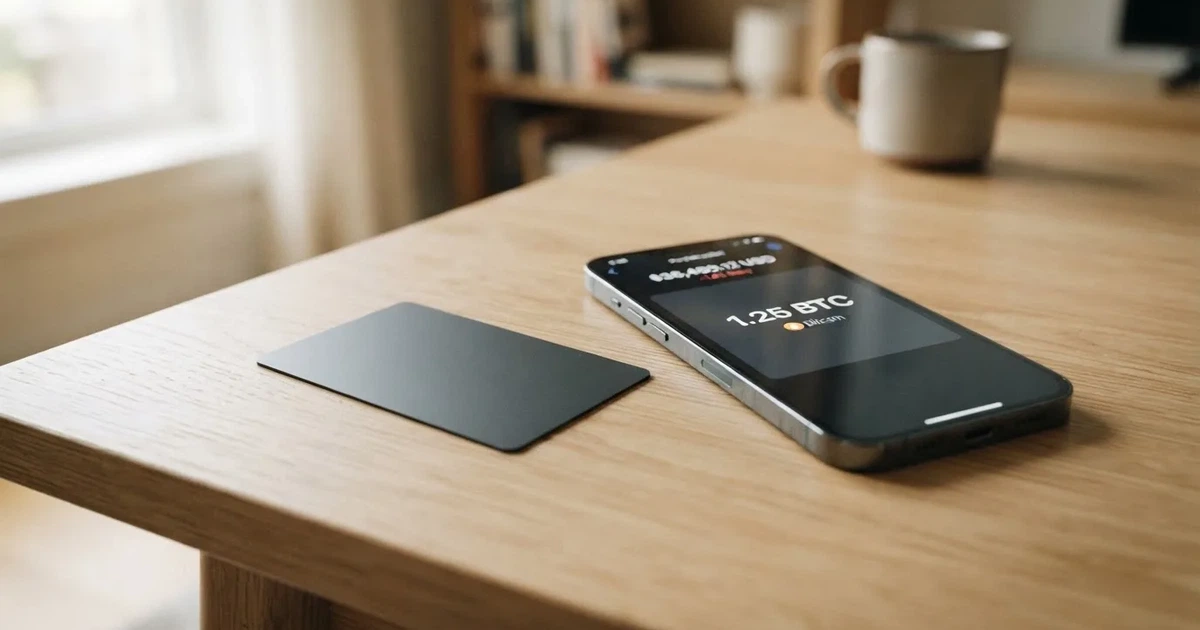
It is also a platform, not a bank, and the fine print tells you less than you would want before you send a deposit. The issuer behind the card is never named. There is no mobile app yet. There is a fee for funding and a processing fee on top of it. And the public complaint record, while tiny, is bad: a deposit confirmed on the blockchain and then rejected, with support going quiet. I scored the card 5.5 out of 10 — see the table below for how that breaks down, criterion by criterion.
The conditions described here are current as of October 28, 2026.
Verdict: 5.5 out of 10, and the score is mostly about trust, not features
Here is the card’s score, broken into the criteria I used, with the numbers exactly as they came out of the assessment:
| Criterion | Mark | Why |
|---|---|---|
| Who can get it | 8 / 10 | “190+ countries” claimed; sanctioned jurisdictions are not supported, and availability depends on region and eligibility |
| Cost | 3 / 10 | Premium tier: $5 issuance, $0 monthly, FX 0.00%; but funding 4% and a $1 processing fee; unofficial: Gold Tier $3 issuance, $1.5 monthly, FX 1% |
| Top-up options | 10 / 10 | USDT, USDC, BTC, ETH, SOL, BNB, TRX, TON, LTC, DOGE, XMR; networks Ethereum, Tron, BNB Chain, Solana, TON, Bitcoin |
| Reliability and complaints | 3 / 10 | Issuer not named, platform is not a bank; Trustpilot 2.9 from 4 reviews: a confirmed on-chain deposit rejected, support silent; card blocks reported |
| Everyday use | 4 / 10 | Virtual Visa or Mastercard only, Apple Pay, Google Pay and Samsung Pay; unofficial: no ATM access; no mobile app yet |
The top-up line is the strongest thing about this card, and I want to say that plainly before the caveats. Almost any coin and almost any chain is not common in this category. If your money is sitting in TON or DOGE or XMR and you want a card number without selling it into a market you may not want to touch, that flexibility is genuinely useful.
Everything else is thinner. Costs are mediocre, everyday use is limited to virtual cards, and the reliability mark is low enough that I would not treat this as somewhere to park money you cannot afford to think about. The card is best suited to the person who is already comfortable with crypto plumbing — who knows what a seed phrase is, who has watched a deposit land on-chain, and who will keep a record of their own transactions. It is poorly suited to anyone who wants a bank-like relationship with a named, accountable institution, and badly suited to someone who needs cash from an ATM.
Who will they give you the card to
Kripicard says “190+ countries” and says the card works “wherever Visa or Mastercard is accepted”. Those two sentences sit next to each other, and they answer different questions. The first is about who can sign up. The second is about where the card will be accepted once you have it. Availability, the company adds, “may vary by region”, and by jurisdiction and eligibility.
The line you should actually read carefully is the exclusion: “Sanctioned jurisdictions are not supported”. Eligibility is also tied to its banking and KYC partners and to sanctions rules, which means your country can be switched off without much notice and without a named person deciding it. That is normal for this category, but it means “190+ countries” is a ceiling, not a guarantee.
What this means for you in practice: if you are in a country nobody has ever heard of, you are in the comfortable case. If you are in a country under sanctions or with heavy capital controls, you are in the case where this card probably is not for you, and no one will tell you clearly why. If you are somewhere in between, the honest position is that the list is not published, so you can only find out by trying.
One more thing worth knowing before you fill in a form: the card’s own materials mention identity verification, sanctions screening and AML/CFT monitoring carried out with regulated partners, and they say there are no credit checks. That last part is good news if a credit check has been one of the things blocking you. The rest I come back to below.
Getting the card
The route is short. You top up in crypto and the card is issued — the card’s own notes say “in 60 seconds”, which I read as a batch processing claim rather than a promise I would plan a payment around.
What you actually get is a virtual card, on the Visa or Mastercard network, set as debit or credit, across multiple BINs. Physical cards are not mentioned anywhere in the materials I checked, so assume there is no plastic option. The card currency is not stated, though the fees are quoted in dollars.
The identity side is where the information is thinnest. The card says verification, sanctions screening and AML/CFT monitoring happen with regulated partners, and that monitoring includes KYT — know-your-transaction, which in practice means watching what you send. It does not say which documents are needed, whether proof of address is required, what the minimum age check looks like, how long processing takes, or why a verification might be refused. There are no tiers of verification described at all.
There is a claim, from a third-party aggregator rather than from Kripicard, that a “Gold Tier” needs only an email address — “Level 1, Email Only”, with no phone, no ID, no address proof, no selfie. A Trustpilot reviewer also mentions “No KYC”. Neither of these is confirmed by the card, and the aggregator page carries no date. Where the aggregator and the card’s own pages disagree, I have leaned on the card.
So: expect to be asked to identify yourself in some way, because sanctions screening is described as standard, but do not plan on a light-touch email-only path being available to you. If avoiding document checks is a requirement rather than a preference, that is not something this card can promise you.
Fees, and what a normal day actually costs
Here is everything the card states about money, in one place:

| Fee or limit | Value |
|---|---|
| Issuance (Premium) | $5, negotiable by volume |
| Monthly fee (Premium) | $0 |
| Funding fee | 4% |
| Processing fee | $1 |
| FX markup | 0.00% — “No FX markup” |
| Card creation | Unlimited |
| Minimum to create a card | $10 |
| Minimum top-up after that | $1 |
| Single transaction limit | $25,000 |
| Daily limit | $25,000 |
| Monthly limit | $150,000 |
| ATM | not stated |
Two things to hold onto here. First, only one tier appears on the fees page: Premium. There is no official ladder of plans to compare. Second — and this is the detail I would not want a reader to miss — the card says fees, card limits and operational limits “are disclosed during the purchase or top-up process” and may change at any time. So the numbers above are what the public pages say today, not a contract.
The monthly fee of zero is genuinely nice, and 0.00% FX means no currency markup on the card’s face. But that is where the good news runs out, because the two fees that matter most in daily use are the awkward ones: 4% to fund and $1 to process. Those are not edge cases. They apply every single time money goes in.
That makes three ordinary payments, and what each one actually costs you:
A $30 subscription you renew monthly. You pay $30 at the merchant. The card’s own fees do not touch a spend — funding and processing were already charged when the balance arrived. If you funded that $30 in a single crypto top-up, the 4% fee was $1.20 and the $1 processing was $1, so roughly $2.20 of the money you sent simply never became spendable balance. On a $30 purchase, that is over two dollars of your money gone before the shop sees anything. If you instead funded once and let the balance sit, the top-up cost is spread across many payments and gets much less painful.
A $400 flight. Nothing in the fees hits the payment itself — no per-transaction charge is listed. What applies is your monthly ceiling of $150,000, which a flight never approaches. The real question at this size is whether the merchant accepts a prepaid, possibly foreign BIN. Some shops decline those on sight, and declines can also leave a hold on your funds for several days.
A $9 lunch abroad in euros. Here the 0.00% FX markup works in your favour on the conversion charge, and no cash withdrawal is involved because this is a card payment, not an ATM. The risk is not the rate — it is acceptance, and the risk of a decline leaving a hold. This is where I would say the honest expectation should be: usually fine, occasionally not, and no guarantee.
One caution about ATM fees: the card’s own pages say nothing about ATM access, ATM fees or decline fees. A third-party aggregator says there is no ATM access at all and an ATM limit of $0. If that is right, and I have no way to confirm it, this card cannot get you cash in person — so plan for a card that only works where a terminal or a website will take it.
Top up
This is the part the card does best, and it is worth understanding how the value arrives.
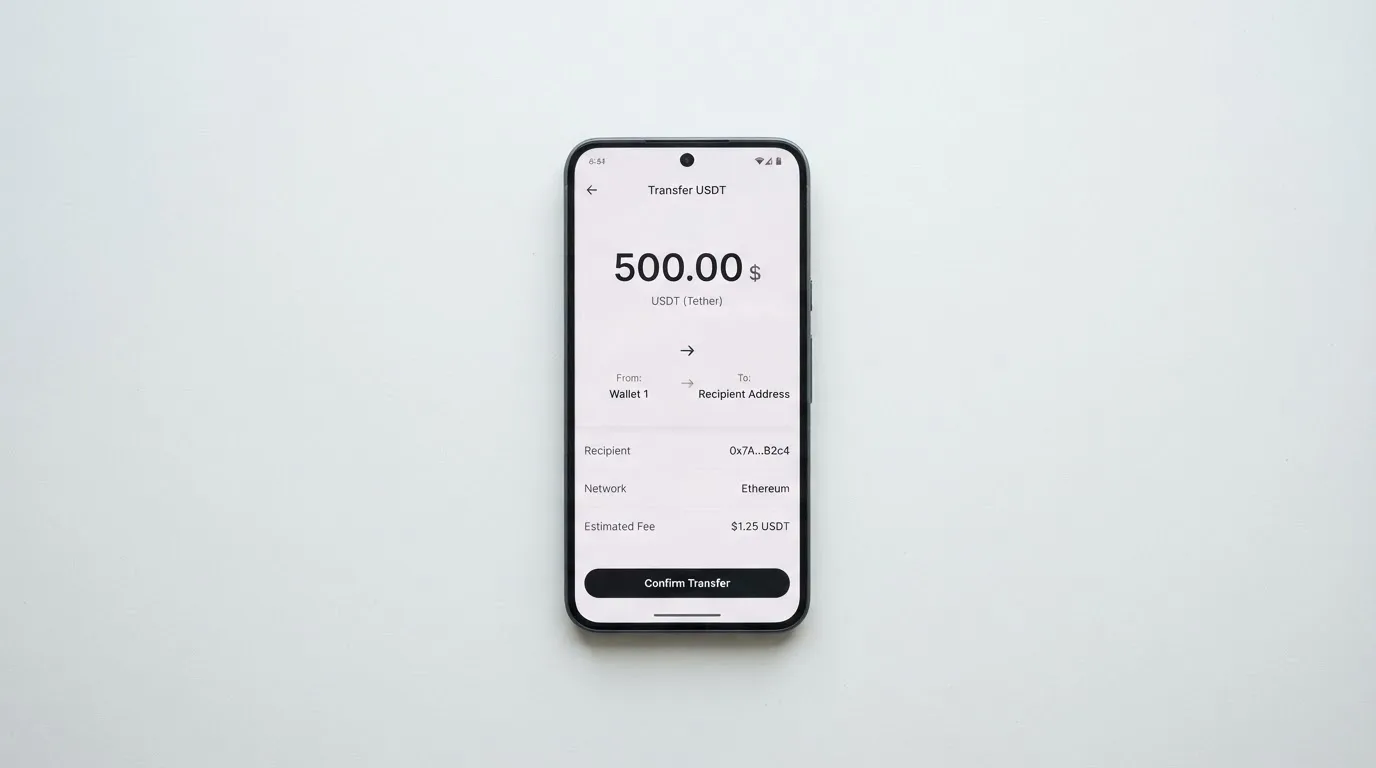
The named coins are USDT, USDC, BTC, ETH, SOL, BNB, TRX, TON, LTC, DOGE and XMR, described as “150+” coins in total. The named networks are Ethereum, Tron, BNB Chain, Solana, TON and Bitcoin — “6+” networks. Card creation is unlimited, the minimum to create a card is $10, and the minimum top-up after that is $1. The home page says both “as little as $10” and “$1”, which is a small inconsistency, so I would test with the smaller figure and see what the page actually accepts.
Now the part that bites. Funding costs 4%, plus $1 processing. Network fees are not stated — and those are charged by the blockchain, not by the card, so on some networks you pay a gas cost that has nothing to do with Kripicard and is not in its control.
Getting the network right is the single most important thing in this whole section, so let me be direct about the trap without pretending there is a way around any rule. A transfer sent on a network the provider does not support, or to an address belonging to a different network, can simply be lost. This is not a card rule — it is how blockchain transfers work — and recovery means a support request with no guarantee attached. Before any transfer, check three things against what the card is showing you at that moment: the coin, the network, and the address. If a stablecoin you hold is on one chain and the card expects another, do not send it on the assumption that it will be converted for you.
The card also states that your balance always stays yours, and that transactions are generally non-refundable once authorised. Withdrawal of a balance is not described in the materials I saw — the reader’s usual question of “how do I get money back out” is one the public pages do not answer.
Paying with it every day
Everyday use is where this card gets thin, and the plainest fact is that there is no physical card. Everything happens through a virtual card number.
On that number: Apple Pay and Google Pay are both supported, and Samsung Pay is mentioned too, each through a device-specific token. That is a real convenience — you can add the card to your phone wallet and pay at a terminal without typing numbers. What the card does not do is tell you which merchant categories are blocked, and it does state that it “does not guarantee acceptance at all merchants or services”. So there is no published blocklist to check against, and no promise that any given shop will take it.
There is also a contradiction worth knowing about. One third-party source lists Apple Pay and Google Pay as supported in its comparison table and then says in its pros and cons that Apple Pay is not supported. The sources disagree with each other. The card’s own pages say Apple Pay works, so that is where I land, but if Apple Pay is something you depend on, confirm it on the dashboard before you rely on it.
No mobile app. The footer says mobile apps for iOS and Android are “launching soon” — so today you are working through a web dashboard. There is no app-based two-factor flow, no in-app freeze button, no push notification when something happens to the money. Everything you can do, you do in a browser.
No cashback. None is mentioned, which in this category is a missed opportunity rather than a problem.
Disputes and chargebacks are the weak spot. Unauthorised charges have to be reported within 10 days of the transaction, by email or as a dashboard ticket. Once authorised, transactions are generally non-refundable. Manual review is possible for technical or operational errors — a payment that failed for a system reason, say. But chargebacks, and freezes imposed by banking partners, are explicitly excluded from Kripicard’s liability. That is a real limit: if your money is stuck at a partner bank, the card’s own position is that it will make good-faith efforts to help, not that it will get the money back.
What can go wrong
This is the section I would want a reader to read twice, because the problems are not exotic.
A deposit confirmed on the blockchain and refused anyway. This is the complaint that decides the score. A Trustpilot reviewer reported 22.58 USDT confirmed on-chain, then rejected by Kripicard, with a ticket and a Telegram message both unanswered and no refund; another one-star review reports a $30 loss. Kripicard’s replies cite automated security and network validation rejecting deposits. The reviews are templated. Another report describes a card that was never generated after a server error on a 50 USDT payment. One four-out-of-five review praises gift cards. The average is 2.9 from a small number of reviews — a tiny sample, but the specific shape of the complaint is the one that matters: money that provably arrived and was still not credited.
Blocks, and a replacement fee. A third-party aggregator, drawing on user reviews and carrying no date, reports cards blocked fairly often — balance mismatches, some merchants — a $15 charge to replace a card, payments taken for a card that was never delivered, and refunds or balances held beyond the stated times. I cannot confirm any of that from Kripicard’s own pages. I can tell you that it is the pattern users describe.
Nobody is named. Kripicard describes itself as “a financial technology company”, a technology platform. It is not a bank and not a payment network. Addresses are listed in Rio de Janeiro, Brazil and in Dover, Delaware, USA. Cards are “issued by licensed partners in their respective jurisdictions” — and the partner is not named. That means the entity standing behind your balance, the one you would complain to, is invisible from the public pages. Banking partners can close or suspend cards “at its sole discretion and without prior notice”, and may request additional KYC or source-of-funds documents “before releasing balances”. Read that sentence twice: a card can be suspended without warning, and your money can be held pending paperwork.
Where the money sits. The reassuring part: Kripicard says it never takes custody of your on-chain wallet or your private keys. That is a meaningful difference from custodial platforms. The unhelpful part: it says nothing about insurance for balances held on the platform side, and it cannot promise that a partner’s freeze will not happen.
What it does do for security. Two-factor authentication on every account, 3-D Secure 2 for online payments, an instant freeze from the dashboard, and 24/7 automated monitoring. Those are the standard safeguards and they are all present. The gap is not the controls — it is that they live in a web dashboard, and Kripicard is explicit that it is not liable for bank-imposed freezes.
Getting help. Support runs through Telegram at @RaulGG69 for customer support, @kripidev for platform issues, plus [email protected], [email protected], and dashboard tickets, which are prioritised over email. English only. Hours are not stated, although the marketing copy says “around the clock”. And the unresolved complaint above is precisely a support complaint — so how fast this channel answers is the thing to watch, not how polished the channel list looks.
The category’s own tail risks. Two more worth naming, both about the category rather than this card. Merchants can see which country issued your card from the BIN, and some decline prepaid or foreign cards on that basis — this is why a card issued in one country can look foreign in another. And a declined payment can still leave a hold on your funds for several days.
What to take instead
None of these is a recommendation to buy; they are the alternatives I compared while scoring Kripicard, so you can see where it sits. Scores are from the same assessment.
| Alternative | Score | Card shape | Cost shape | Notable difference |
|---|---|---|---|---|
| Kripicard | 5.5 / 10 | Virtual only | $5 issuance, $0 monthly, 4% funding + $1 processing, 0.00% FX | Almost any coin, almost any chain |
| Bitrefill | 6.8 / 10 | Virtual and physical Visa | Free through the app per its page; amounts not stated; inactivity fee after 12 months | 2% total cashback, no cap; SEPA pay-in 1.99% |
| UPay | 6.1 / 10 | Virtual and physical, personal and business | not stated | Support claimed in 180+ countries; payments convert to USD, EUR, AED |
| Kemy | 6.0 / 10 | Unlimited virtual Visa plus one physical Mastercard | Virtual $15 issuance valid 3 years, $2/month; physical $250 issuance with DHL, $10/month | Fewer coins; a real physical card at a real price |
Bitrefill scores highest of the four. Its cost page says the card is free through the app, though it does not state issuance or monthly amounts, and it charges an inactivity fee after 12 months without spending or cash-out. It applies a deposit spread on crypto-to-euro conversion and a 1.99% SEPA pay-in fee. Its “Buy with” list is broad — Bitcoin, Lightning, Ethereum, USDC, USDT, Solana, BASE, Polygon, Li.Finance, Apple Pay, Google Pay, Visa, Mastercard — plus SEPA transfers per its terms, and it is the only one of the four advertising real money back: 2% total, split 1% on each crypto deposit and 1% on each purchase, with no cap stated. Its own terms gate access on “eligibility criteria” verified by partners, so the country question is no more open than with Kripicard.
UPay claims support in 180+ countries while saying it does not serve residents of certain countries, with the list able to change as policies change. Its KYC partner accepts only ID documents issued by the same country as the user — that is a sharper constraint than “190+ countries” suggests, and it is the first thing to check. You can fund by wallet top-up in BTC, ETH or USDT, with USDC also listed; networks are not stated. No cashback on the card page.
Kemy is the only alternative here with a physical Mastercard and it prices that plainly: $250 issuance with DHL Express included, valid three years, one per user, then $10 a month. Virtual cards are $15 for three years and $2 a month. Its fees are heavier than Kripicard’s in the places that matter — 3.5% plus $1 per transaction, a failed-transaction charge of $0.80, and a top-up fee that the page shows as 8% in one place and 5% in another. Funding is USDT and USDC plus BTC, ETH, SOL. If you need plastic in your hand, this is where the trade-off is explicit rather than hidden.
Who I would recommend it to
I would recommend Kripicard to the person who already lives in crypto. Someone who holds several coins across several chains, who wants a Visa or Mastercard number without converting everything into one asset first, and who understands that a 4% funding fee plus $1 is the price of that convenience. If you add the card to Apple Pay or Google Pay and treat it as a spending wallet rather than a bank account, the economics work out better than the headline percentages suggest, because one top-up funds many payments.
I would not recommend it as a first card. If you have never sent crypto on-chain, the irreversible-transfer risk, the “choose the right network or lose it” trap and the 10-day dispute window are all things you want to meet when you are not depending on the money.
I would not recommend it to anyone who needs cash, who needs a physical card, who wants a named issuer to complain to, or who needs an app. I would especially not park meaningful long-term balance in it, because banking partners can suspend cards without prior notice and can hold balances pending documents, and Kripicard is explicit that freezes by those partners are outside its liability.
And the practical test I would apply before anything else: if your plan depends on support answering quickly, this card’s public record does not support that plan. The single most repeated complaint is a deposit that provably arrived and then went nowhere with the help channel silent. Everything else on this page can be worked around. That one is a matter of trust, and trust is the thing the score is really measuring.
Frequently asked questions
What is Kripicard card?
Kripicard is a prepaid payment card platform that converts a crypto balance into a virtual Visa or Mastercard number you can spend online or add to a phone wallet. It is a financial technology company, not a bank, and the cards are issued by licensed partners whose names are not published. You load it yourself from crypto, and the card spends only the balance you have loaded, so it cannot overdraw.
How does Kripicard card work?
You top up in crypto from your own wallet, the amount is converted to a fiat balance on the platform, and a virtual card is generated against that balance. Payments then draw down that balance like a prepaid card. Conversion fees and network fees are separate things: the card charges its own funding fee, while blockchain fees are charged by the network itself.
Is Kripicard a bank?
No. Kripicard describes itself as a financial technology company and a technology platform. It does not take custody of your on-chain wallet or private keys, but balances held on the platform side are not bank deposits, and the card states that banking partners may freeze or suspend a card and hold balances pending extra documents without its liability.
Is Kripicard card free?
Not quite. The Premium tier is $5 to issue and $0 a month, and the FX markup is 0.00%. But funding costs 4% and processing costs $1 per top-up, and those two charges apply every time money goes in. Card creation is unlimited, with a $10 minimum to create a card and $1 minimum thereafter.
Does Kripicard card require KYC?
The card says identity verification, sanctions screening and AML/CFT monitoring are carried out with regulated partners, alongside transaction monitoring, and that there are no credit checks. It does not publish which documents are needed, whether proof of address is required, or how long checks take. A third-party site claims an email-only tier, but that is not confirmed by the card.
How do I top up Kripicard card?
Send crypto to the address the card shows you for that coin on that network. Named coins include USDT, USDC, BTC, ETH, SOL, BNB, TRX, TON, LTC, DOGE and XMR, on Ethereum, Tron, BNB Chain, Solana, TON and Bitcoin. Check the coin, network and address against the screen every time — a transfer on the wrong network can be lost with no guarantee of recovery.
How do I add Kripicard card to Apple Wallet?
The card lists Apple Pay as supported, along with Google Pay and Samsung Pay, each through a device-specific token. Adding it works through the web dashboard, since there is no mobile app yet. If Apple Pay matters to you, confirm it is available on your own card before relying on it, as one third-party source contradicts itself on this point.
Where can I use Kripicard card?
Anywhere a virtual Visa or Mastercard is accepted, which the card states as wherever those networks are accepted — with the explicit caveat that it does not guarantee acceptance at all merchants. There is no ATM access according to a third-party source, which is not confirmed by the card, and no physical card is mentioned anywhere in its own materials.
Is Kripicard card safe?
It has the standard safeguards: two-factor authentication on every account, 3-D Secure 2, an instant freeze from the dashboard, and round-the-clock automated monitoring. The real risks sit elsewhere — an unnamed issuer, partner banks able to suspend cards without notice, deposits rejected after arriving on-chain, and a complaint record averaging 2.9 out of 5 from a very small number of reviews.
Can I withdraw money from Kripicard?
The public materials do not describe balance withdrawal, so I cannot tell you how or whether it works. What they do say is that your balance always stays yours, that transactions are generally non-refundable once authorised, and that banking partners may request additional identity or source-of-funds documents before releasing balances. If being able to get money out matters to you, ask support directly before you deposit.
Virtual cards – cryptocardchooser.com
Content created by the «cryptocardchooser.com» team